Last Updated: Mar 11, 2020
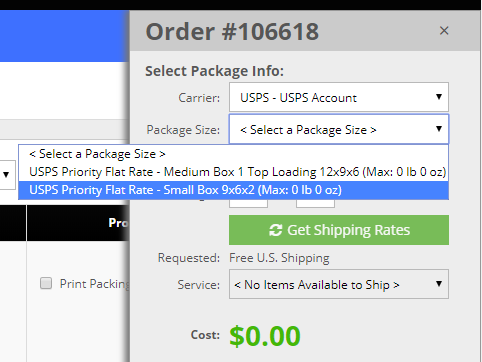
The Package Sizes tool allows you to define the specific package sizes you use to ship order. These sizes can then be quickly selected for orders as you print your shipping labels.
InfiPlex Package Sizes Set-up
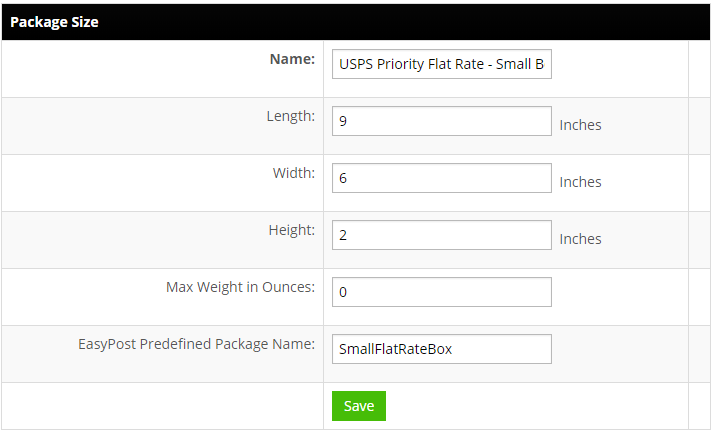
- Name:
Enter a descriptive name for your package size. - Length:
Enter the length in inches. - Width:
Enter the width in inches. - Height:
Enter the height in inches. - Max Weight in Ounces:
Max weight is displayed in the Package Size drop-down options as a reference only. - EasyPost Predefined Package Name:
This field is only used with our EasyPost integration and allows you to add any pre-defined package size available with EasyPost.