
Last Updated: Sep 04, 2025
The InfiPlex Webstore and Order Management System (OMS) can be connected directly to your eBay account. This allows the system to pull your eBay orders into the OMS and send tracking numbers and inventory updates back to eBay.
eBay Set-up
Follow the steps below to sign-up for the eBay Developers Program and get your access keys for the first time or to renew your eBay token. Your eBay Auth'n'Auth Tokens last 18 months and require you to generate a new one every 18 months.
- Join the eBay Developers Program or Login if you have an existing account.
Important: do NOT use the same email login from your eBay Seller account. The developer account needs to have a different email/account. - Get your PRODUCTION application keys > Keys are unique identifiers that tell eBay which developer and application is making a call. You can generate and retrieve your keys at any time from your My Account page. This is the same page that you will go to when you need to reset your eBay Auth'n'Auth token. eBay Auth'n'Auth Tokens last 18 months and require you to generate a new one every 18 months.
- After you have created your Production keys, you will need to FIRST click the Notifications link to set your eBay Account Deletion Notification: This is a new requirement, so be sure to follow the instructions on updating your developer accounts notifications tab.

SECOND, you need to click on the User Tokens link to get your User Token.
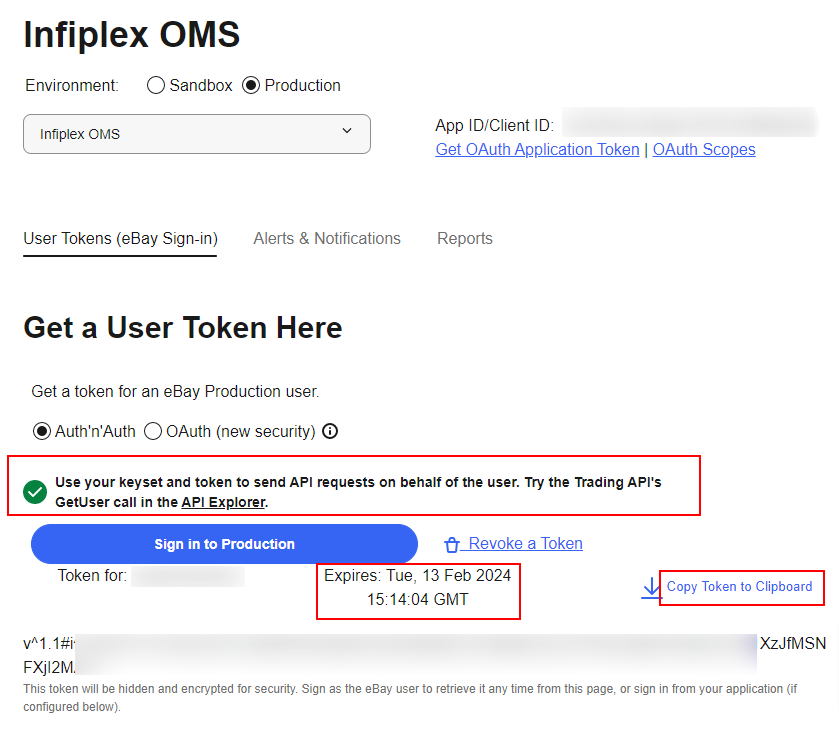
- Getting your User Token. Click the User Token will open a new page. Make sure you select the Production environment and use the Auth'n'Auth token setting as shown below. Then click the Sign in to Production button.

You will need to sign into your main eBay seller's account on eBay.com, which is different than the developer account you set-up.
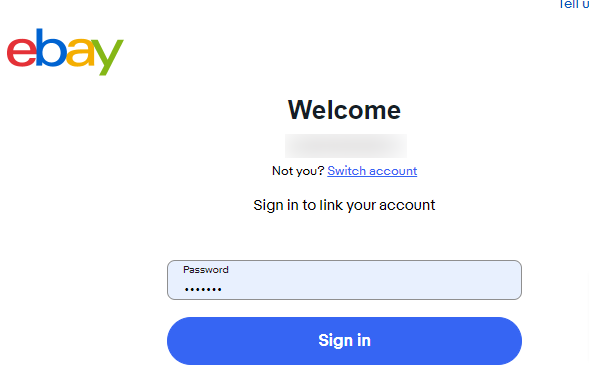
Then AGREE with the Grant Application Access form. Once you AGREE you will be sent back to the User Token page where your User Token will be displayed.

Copy the User Token and save it in a text document in a secure area so you can copy it into the Settings in InfiPlex.
- Add the following 4 settings to the Settings area for eBay, located at Shop/OMS > Settings > eBay in your admin area:
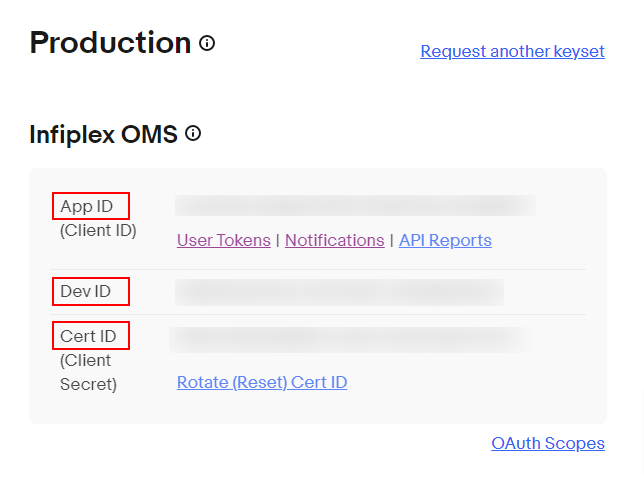
- ebay_dev_id - shown on your eBay Developer Dashboard
- ebay_app_id - shown on your eBay Developer Dashboard
- ebay_cert_id - shown on your eBay Developer Dashboard
- ebay_auth_token
Copy the User Token you saved in the Getting your User Token above.
- Save the settings.
eBay Marketplace Account Deletion Notifications
Follow the instructions here to update your eBay Developer Account Notifications for eBay account deletions.
eBay Product Set-up
In order to sell your products on eBay you will need to set-up your eBay store. Once your store is active, you can begin selling your products and connect your eBay account to your InfiPlex OMS account. You can contact us if you need assistance setting up your eBay store.
IMPORTANT: Once you have your SKU's on eBay and your keys entered into the OMS you will need to activate your SKU's as eBay SKU's in the OMS. To do this, follow these steps:
- Use the menu to navigate to Sell On > eBay
- Click the green Set All Shop Products as SOE (Sell on eBay) button
- Click on the purple button - Download eBay Products to activate your products
- You will then see the message currently active on eBay under the SKU number for products that are active on eBay.
- The system will check daily for new available SKU's on eBay
- Important:
The purple Download eBay Products is only able to pull products that have a list start date in the last 120 days. SKUs that have a list start date older than 3 months ago will need to be manually re-listed to update the list start date. To relist an eBay item, first remove the item as an active sale item. Click the "More actions" link to the right of the item and choose "End Item" from the drop-down menu. You can then relist the item by going to My eBay > Activity > Sold and from the More actions drop-down menu to the right of the listing, select Relist. Make any updates to the listing and save it.
eBay API Rate Limits
The standard token with eBay allows for up to 5,000 calls per day. This includes calls for getting orders, sending inventory, and sending pricing. You can log into your eBay developer portal to get reports on the Trading API to see your usage. Clients with larger SKU counts on eBay will need to apply for a rate increase in order to manage inventory levels.
If you need more calls per day, you can apply for a rate increase using eBay's Compatible Application Check form. Scroll to the bottom of this page to begin the application. You can review the eBay Rate Limit Increase Request article for instructions on filling out the form.
