
The Create CRM (Contact Resource Manager) User List will create an email list of everyone that has registered for this event. This is a dynamic list; as people register they will automatically be entered into this list. If the icon is grey (not green), it indicates that the CRM list has already been created.
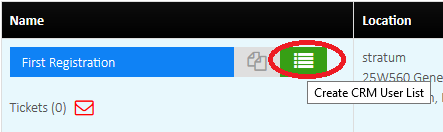
Once the CRM list has been created you can use the CRM app (on the InfiPlex dashboard) to see the list of emails in the list.
Ater the list is created you can use Smart Send to send an email to the list using the CRM User List dropdown (on the Smart Send Add tab in Smart Send). Please note that you can't send text messages to the list with Smart Send without additional setup and a 3rd party texting account.
