
Last Updated: Sep 21, 2026
 InfiPlex Inventory & Order Management System (OMS) connects directly to your Newegg Marketplace seller account. Once connected, InfiPlex pulls Newegg orders, sends tracking back when you ship, and keeps Newegg inventory in step with your other channels. Selling to Newegg as a vendor instead? See the Newegg Vendor integration.
Before You Start
Join the Newegg Marketplace, or log in if you already sell there. New sellers need to complete Newegg's account set-up and product listing before orders can flow; Newegg's Quick Start Guide covers those steps. If you would rather have the products loaded for you, InfiPlex data services can do it; contact us for a quote.
Get Your Newegg API Keys
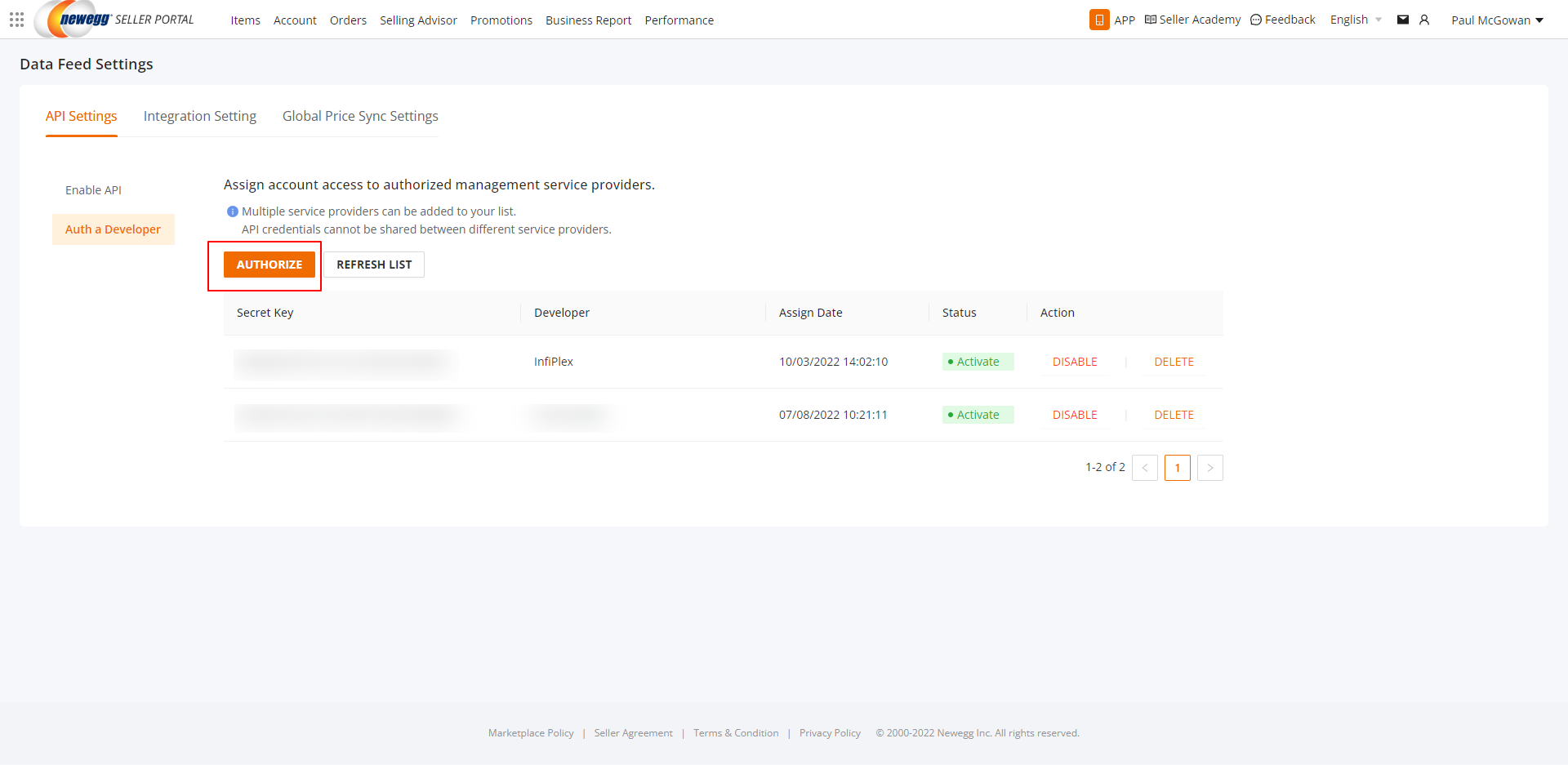
- In the Newegg seller portal, open Manage Account > Data Feed Settings and click the Auth a Developer tab.
- Click Authorize, choose InfiPlex from the list, and confirm. After a moment, refresh the developer list and the InfiPlex entry shows its API Secret Key. That secret key is what InfiPlex needs.
- If the API tools are not visible in your portal, email datafeeds@newegg.com, name InfiPlex as your API service provider, and your account manager will send the API and secret keys.
- Switching from another provider: authorize InfiPlex first, then disable the previous provider in the same API settings. If the settings are not available to you, request a new key set for InfiPlex from datafeeds@newegg.com.
Newegg Settings in InfiPlex
- Log into your InfiPlex OMS site and go to Settings > Integrations > Newegg.
- newegg_secret_key: the InfiPlex secret key from the developer list
- newegg_seller_id: your Newegg seller ID, also shown on the Business Report > Summary page in the portal
- newegg_pull_orders: set to Yes to pull Newegg orders into the OMS
- newegg_send_tracking_numbers: set to Yes to send tracking back to Newegg when an order ships
- newegg_son_enabled: set to Yes to send inventory levels to Newegg. The SKUs InfiPlex has flagged as sold on Newegg must match the SKUs listed on Newegg exactly, or the update for that item will not apply.
- Save. InfiPlex connects on the next cycle and begins requesting orders.
- Check the log. Go to Tools > Log and choose Newegg: Any Log. A working connection shows "Newegg Get Orders: Successful".
Newegg Product Listings
Listings are created in the Newegg seller portal, following Newegg's Quick Start Guide. Once listed, add the same SKUs to InfiPlex with the product upload and flag them as sold on Newegg so inventory starts syncing.
Set-up Support
Contact InfiPlex with any Newegg set-up questions. Support is included with every InfiPlex package, and our team can review your first Newegg orders with you.
