
Last Updated: Sep 21, 2026
 Pushing an invoice or sales order from InfiPlex Inventory & Order Management System (OMS) to QuickBooks Online occasionally comes back with an error. Every error appears in the Requests Completed tab of the QBO admin area, where it can be reviewed and re-queued.
Error: CustomerRef is required
QuickBooks Online matches the order's email to an existing Customer. An Invoice requires that match; a Sales Order does not, so sending as Sales Orders avoids this error entirely.
If you send Invoices for wholesale orders, the order email must match an existing QuickBooks Customer email. For a consistent customer per order source (recommended for wholesale), use Order Automation to set one email for every order from that source; that places all of a channel's orders under one QuickBooks account. Ask InfiPlex support about separate Site Areas if you run both B2C (Sales Order) and B2B (Invoice) volume.
To fix an existing error:
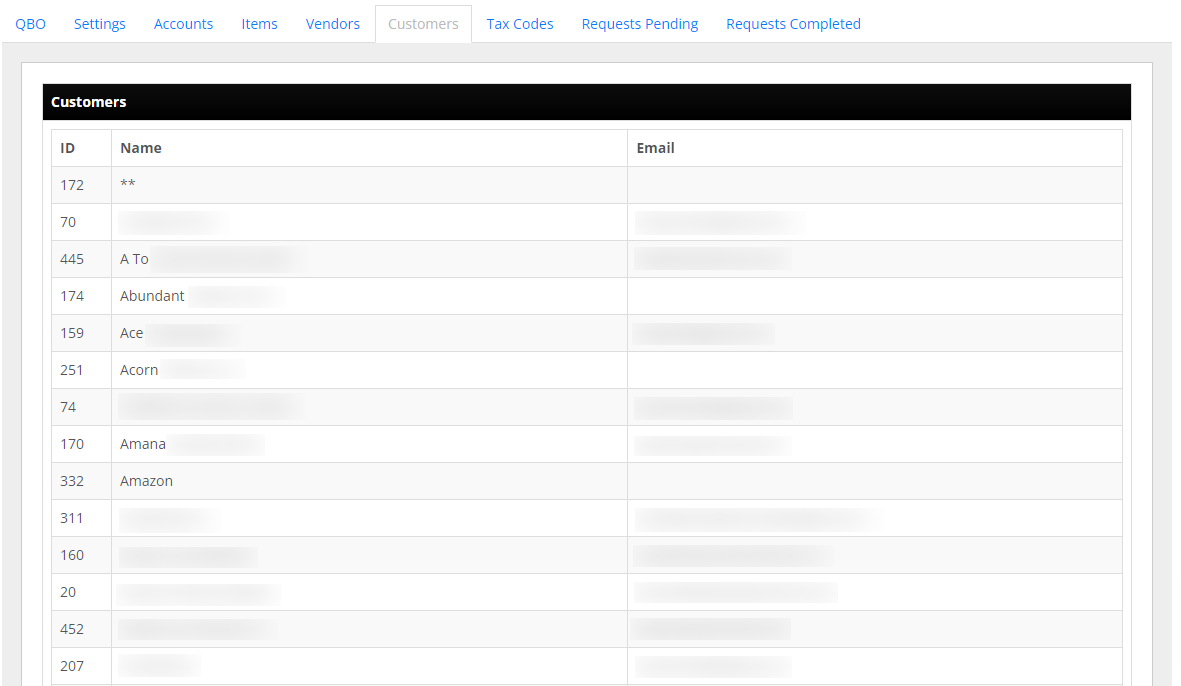
- Add the Customer in QuickBooks Online with an email matching the order (or update the order email to match an existing Customer). New Customers appear in the QBO admin area's Customer tab within 15 to 20 minutes.
- Open the Customer tab and find the record. Note its ID, Name, and Email, for example ID 56, "Acme Tools", name2@example.com.
- On the failed request, click Edit for Re-Queue and update the bottom of the form, leaving
TotalAmtas it is:
"BillEmail": {
    "Address": "name2@example.com"
},
"TotalAmt": "69.60",
"CustomerRef": {
    "value": "56",
    "name": "Acme Tools"
},
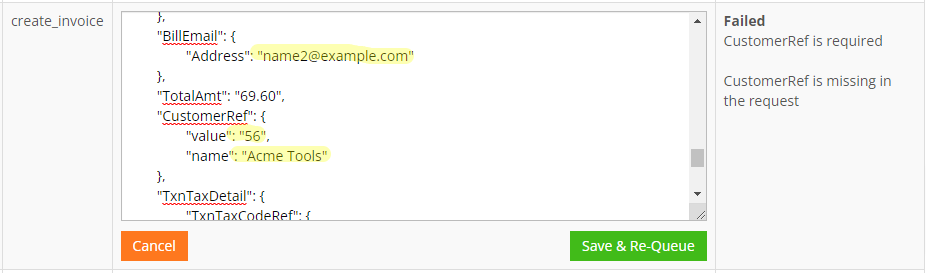
Click Save & Re-Queue. See the Order Automation for QuickBooks Online Invoicing guide for setting a default account email per order source.
Error: Invalid Email Address format
A malformed email on a new-Customer order triggers this error. Fix the source, either on the order itself or in the Order Automation rule setting it, then click Edit for Re-Queue and correct the BillEmail address.
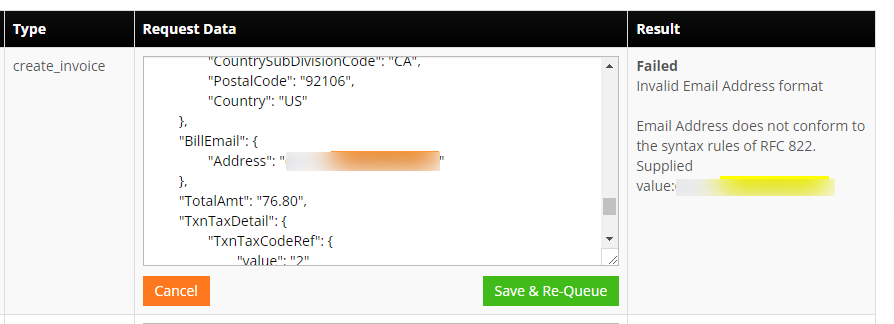
Click Save & Re-Queue. This usually surfaces the CustomerRef error next; follow that fix to finish.
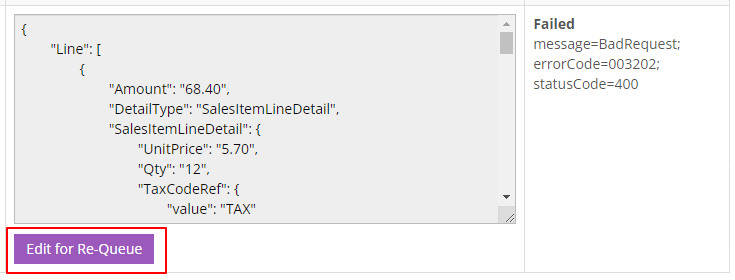
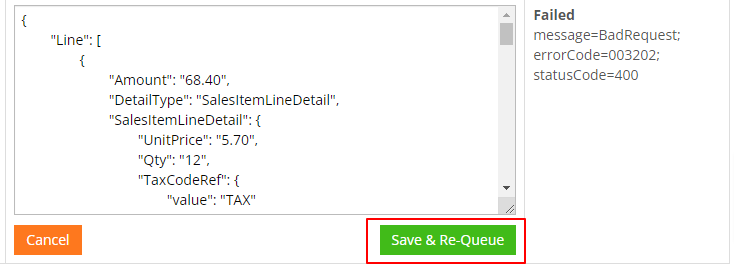
Error: Failed - message=BadRequest; errorCode=003202; statusCode=400
A connection error, not a data error. Click Edit for Re-Queue, change nothing, and click Submit.
Set-up Support
Contact InfiPlex with any QuickBooks Online questions. Support is included with every InfiPlex package.
