
AliExpress Order Tour: Watch a Real Order Ship Through InfiPlex
A US-fulfilled AliExpress order, start to finish, on real screens from a live InfiPlex account: pulled into the queue, routed by warehouse, pushed to a 3PL, shipped with tracking, and synced back to AliExpress with inventory to match. No signup, about a minute to click through, full written version below.
Eight screens, one AliExpress order
Click anywhere on the screen to advance. Every image is an unedited capture, and the logs you'll see are the system's own receipts for this exact order.
From AliExpress to your 3PL and back.
Pulled, routed, pushed, shipped, tracked, synced. Nobody touched a spreadsheet.
Click anywhere to continue →
Every step, in writing
The same eight screens as the walkthrough above, with what's actually happening on each one.
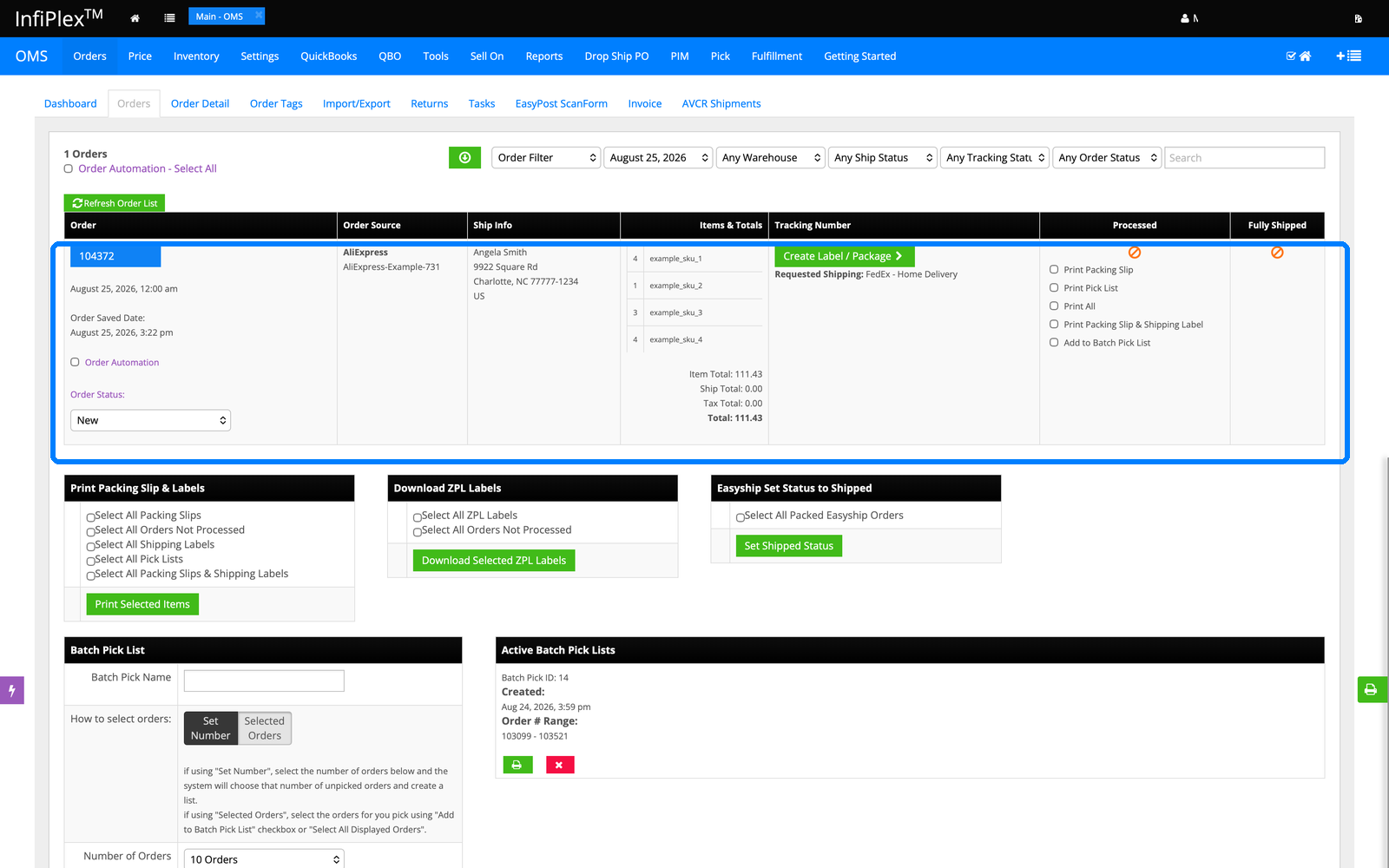
1. The AliExpress order lands in the queue
Order 104372 arrives from AliExpress with the ship-to address, all four line items, and totals already filled in, pulled automatically the moment it was placed. It sits in the same open-orders queue as every other channel, so AliExpress orders get worked exactly like Amazon or Walmart orders, one queue for everything.
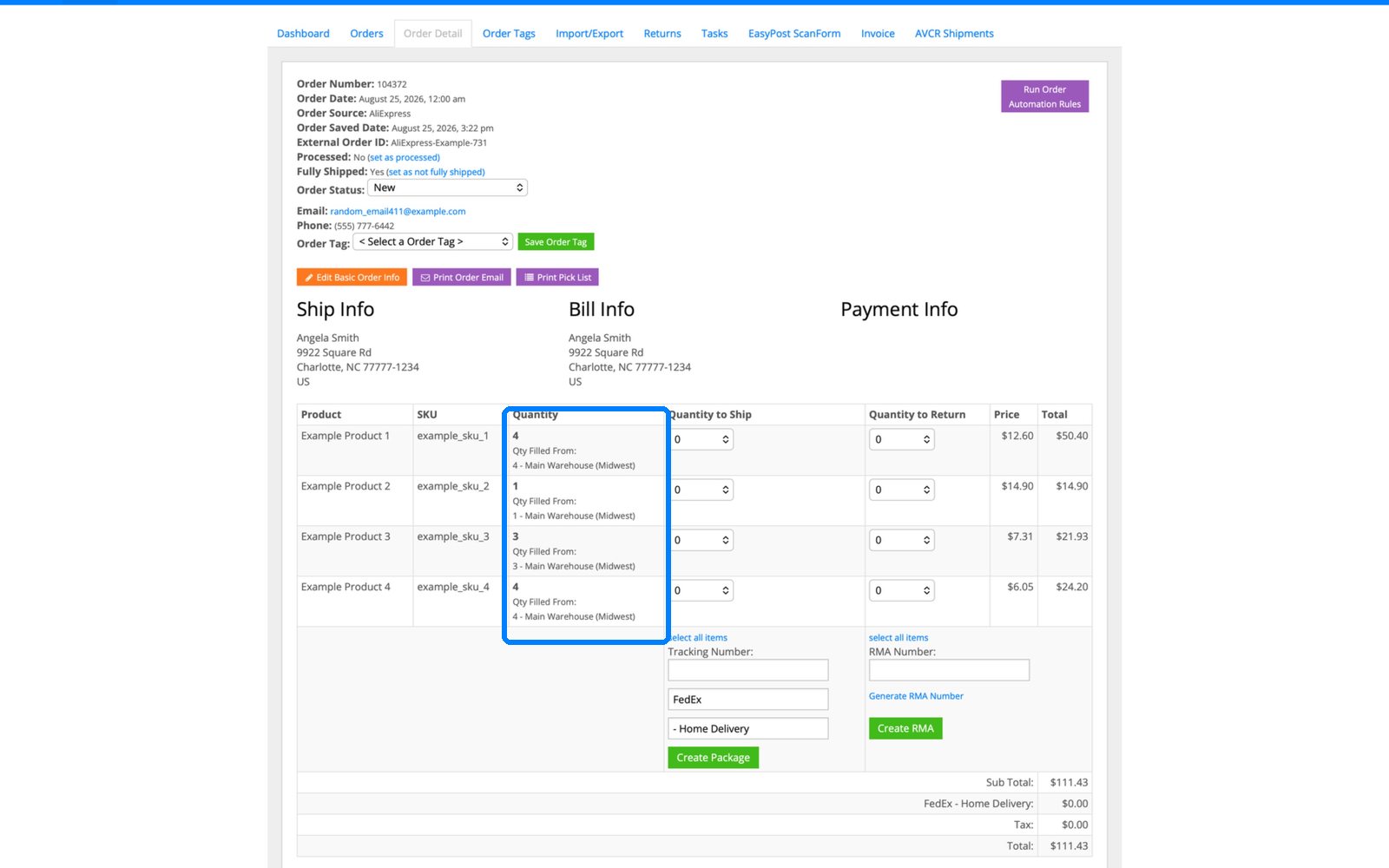
2. Every line already knows its warehouse
On the order detail, each line item shows the warehouse filling it, decided by InfiPlex routing rules the moment the order arrived. Nobody assigned anything by hand. The full logic behind that decision, priority lists, zip rules, and per-SKU overrides, is covered in the multi-warehouse order routing guide.
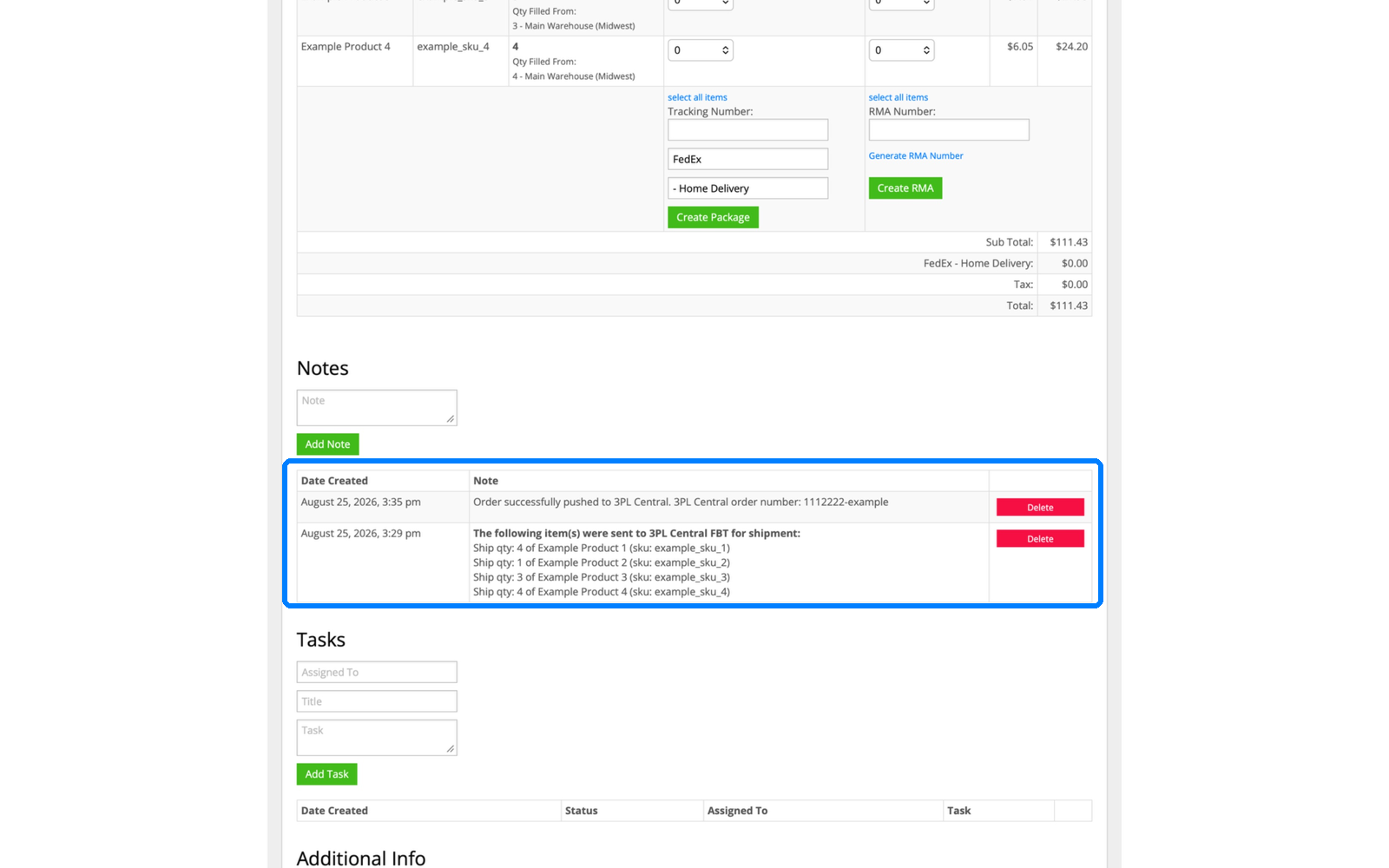
3. The order is pushed to the 3PL automatically
InfiPlex sends the full order to the 3PL, in this case a warehouse running 3PL Central, and writes a timestamped note with the 3PL's own order number. That's a receipt, not a status label: the exact items, quantities, and the confirmation the 3PL accepted it, logged on the order forever.
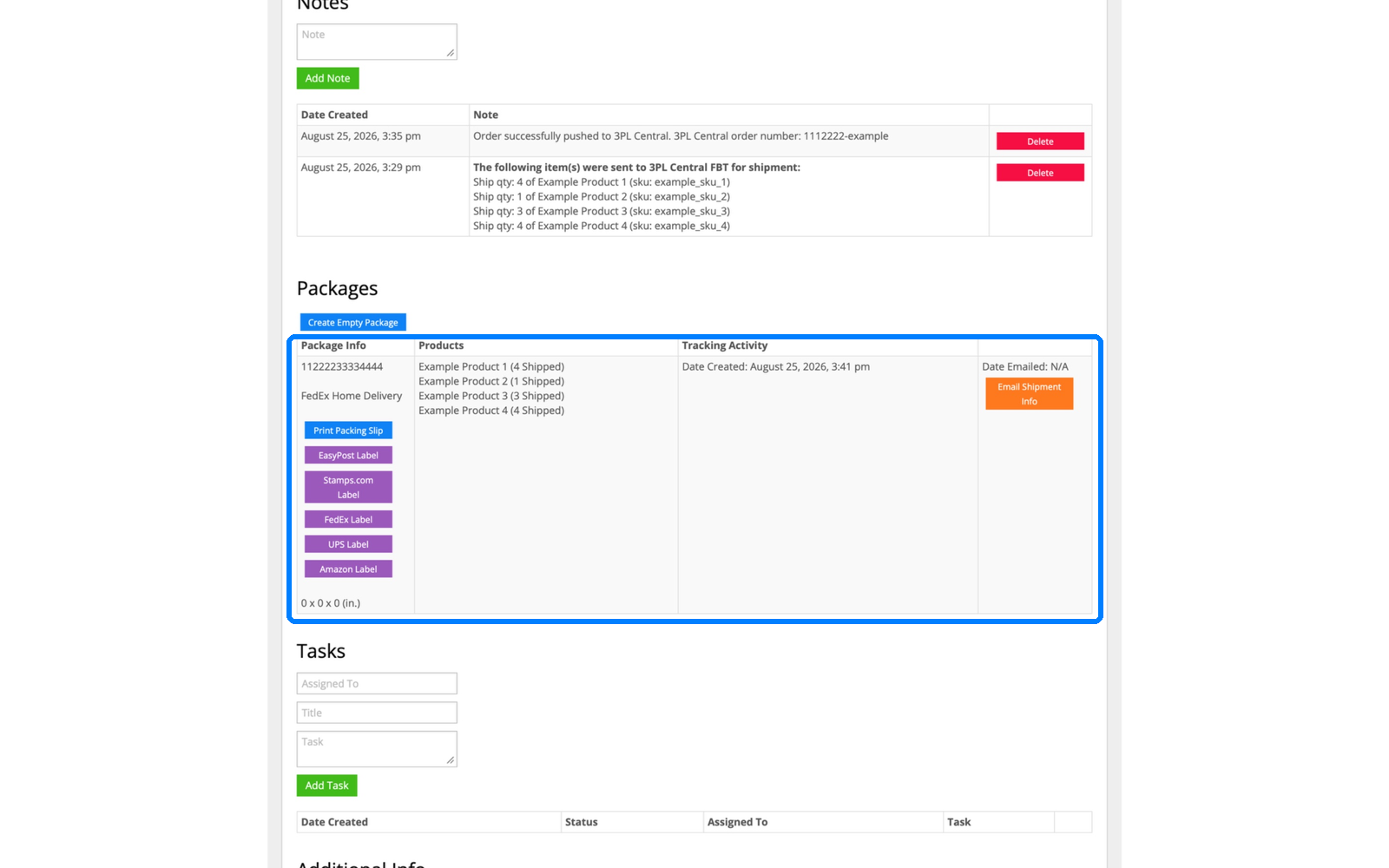
4. The 3PL ships, and tracking comes back on its own
The 3PL picks, packs, and ships. InfiPlex pulls the tracking number back and builds the package on the order, carrier, contents, and tracking, without anyone copying anything between systems. All four items show shipped with a single FedEx tracking number attached.
5. Tracking goes back to AliExpress
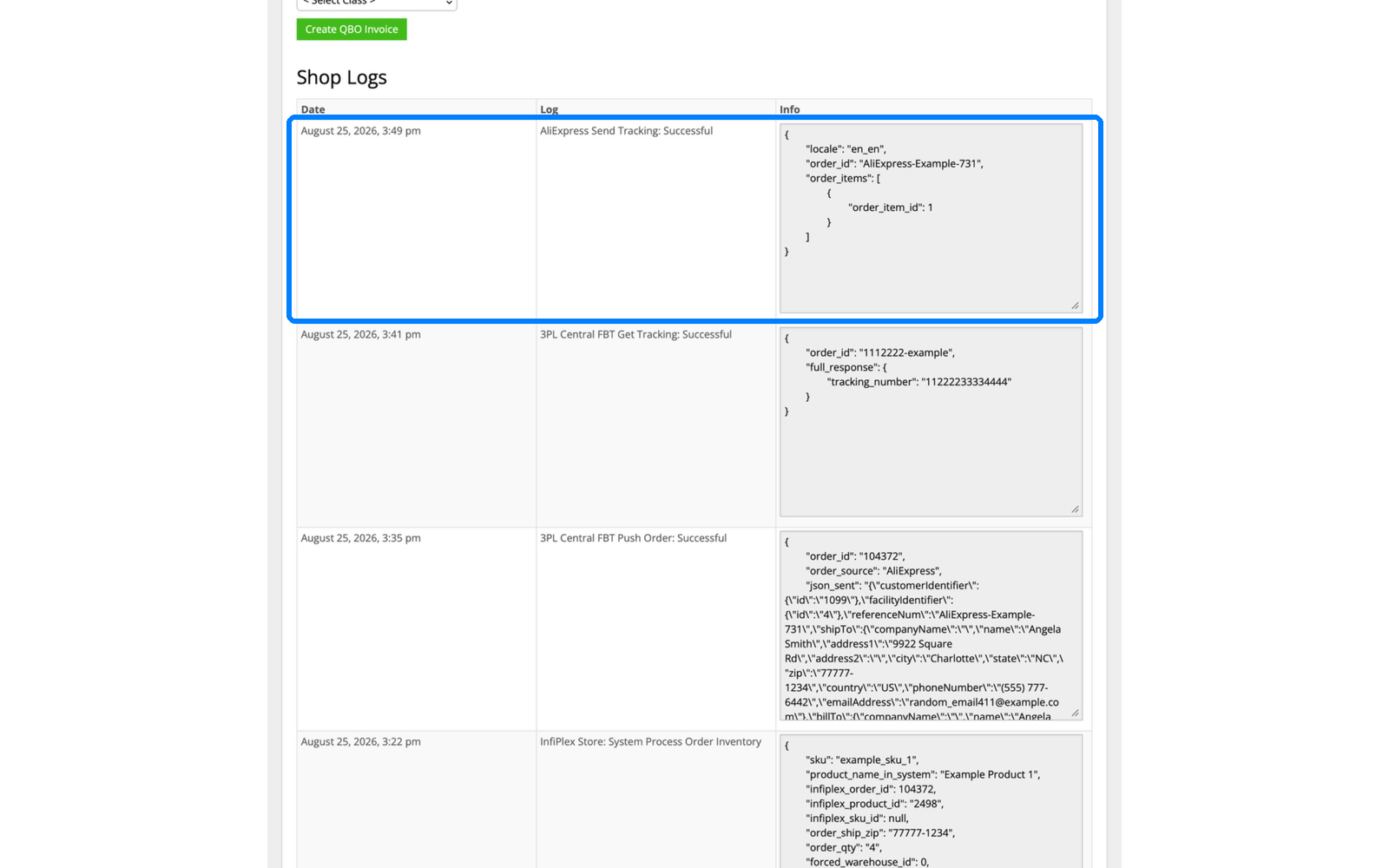
The moment tracking exists, InfiPlex sends it to AliExpress and logs the send. Your customer gets their shipping notice from AliExpress with no one touching the seller portal, and the shop log shows the exact timestamp it happened.
6. Inventory updates everywhere
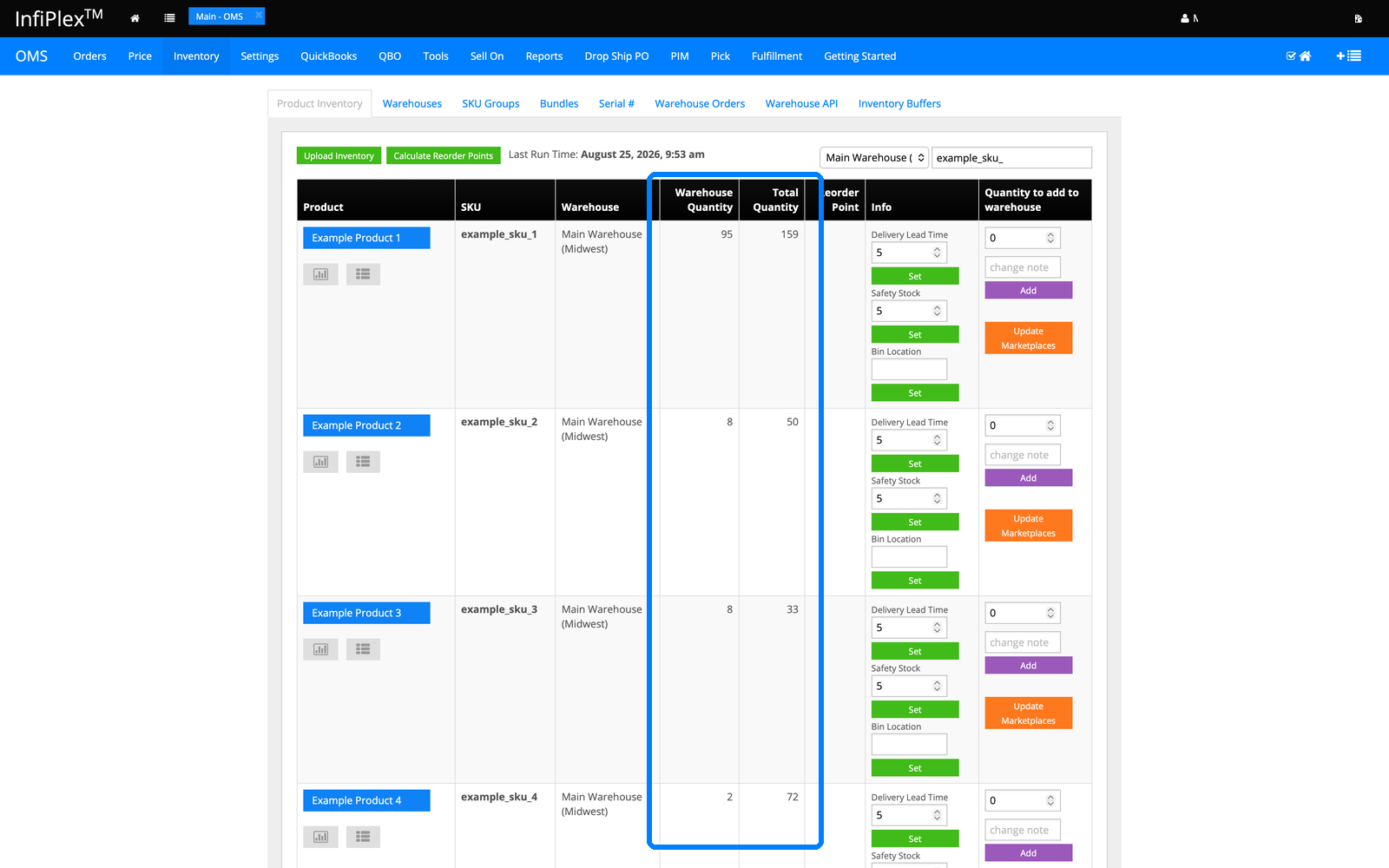
The shipped units come out of stock immediately, and the updated counts flow to every connected channel. AliExpress, and everything else you sell on, is looking at the same number at the same time, which is the whole point of running one system instead of three spreadsheets. More on that in the multichannel inventory sync overview.
7. Every unit movement has a paper trail
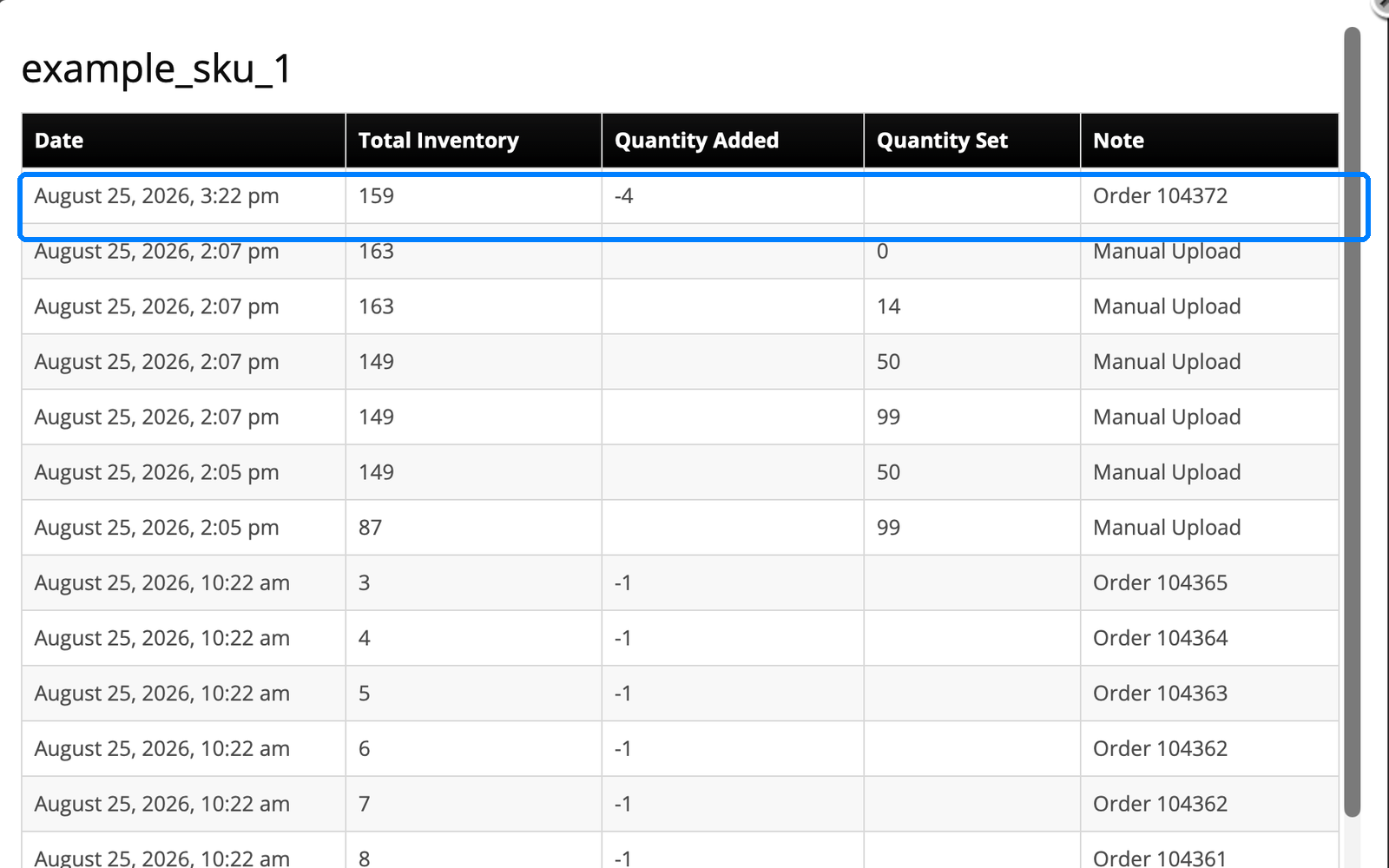
The per-SKU inventory log shows this order taking its 4 units, alongside every other movement with a date, quantity, and reason. When a count ever looks off, you don't guess, you read the trail.
8. The entire connection is one settings page
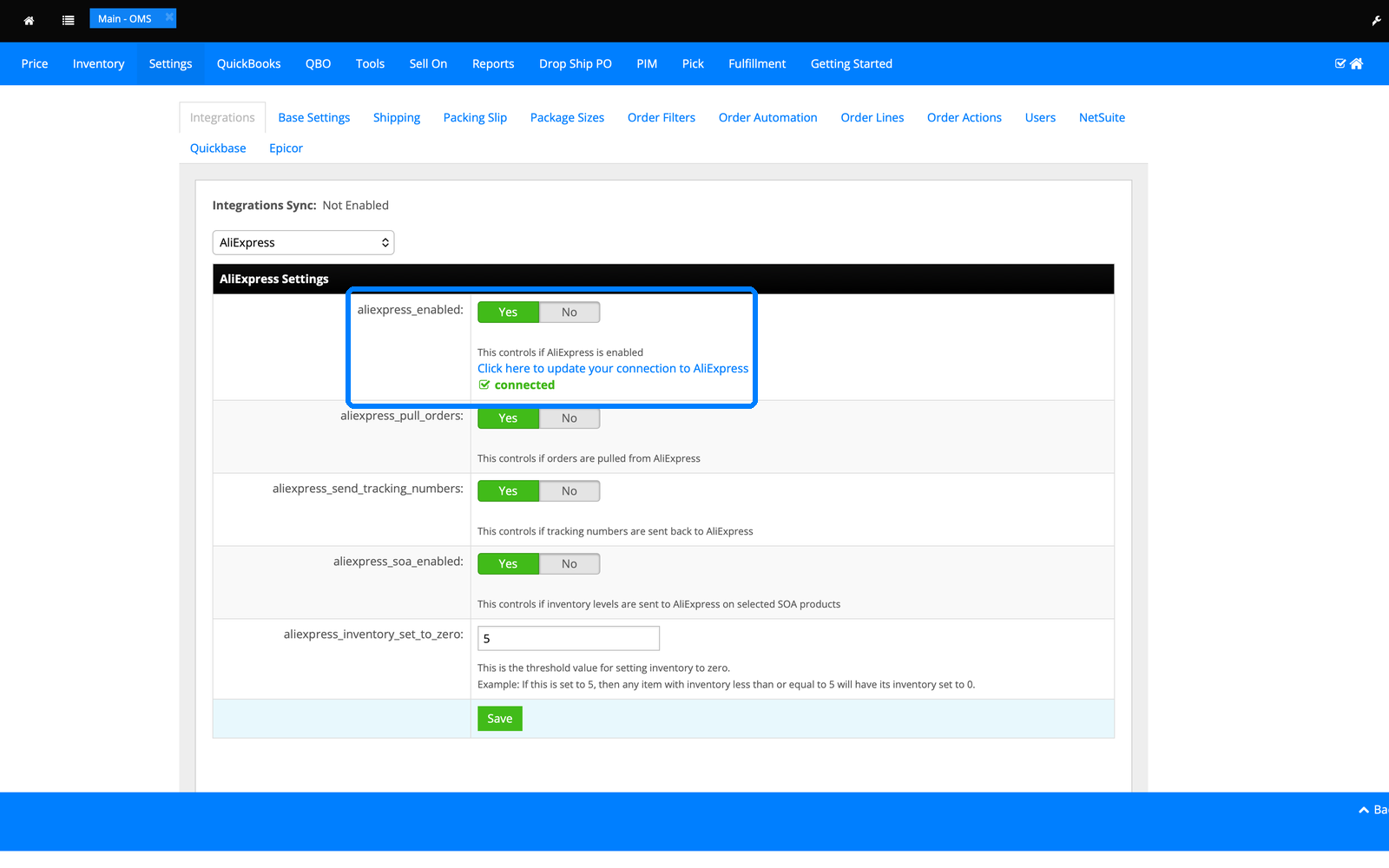
Everything you just watched runs off a single AliExpress settings page: pull orders, send tracking numbers, sync inventory. Toggle them on, connect the account, and it runs. That's the whole setup.
AliExpress fulfillment FAQ
Does InfiPlex pull AliExpress orders automatically?
Yes. Once the AliExpress connection is enabled, new orders are pulled into the InfiPlex queue automatically with the customer, address, items, and totals already populated, exactly as shown in step 1 of this tour. They land in the same queue as your Amazon, Walmart, TikTok Shop, and cart orders, so your team works one list instead of logging into each seller portal. Order statuses, tracking, and inventory then flow back to AliExpress without manual updates. AliExpress is one of 130+ channels and platforms InfiPlex connects; the full list is in the integrations directory.
Can my 3PL fulfill my AliExpress orders?
Yes, and that's exactly what this tour shows. The order routed to a warehouse running 3PL Central, was pushed automatically, and tracking came back into InfiPlex without anyone emailing the warehouse. The same connection pattern works for 3PLs running Logiwa, VeraCore, ShipHero, ShipStream, and Snapfulfil, plus a long list of named fulfillment services, so your AliExpress orders ship from wherever your inventory already lives. If you're fulfilling AliExpress locally in the US, from your own warehouse or a 3PL, this is the piece that makes local fulfillment run hands-off.
Does tracking really go back to AliExpress on its own?
Yes. The moment the 3PL produces a tracking number, InfiPlex pulls it onto the order and sends it to AliExpress, and the shop log records the send with a timestamp, which you can see in step 5. That matters on AliExpress specifically because upload speed and fulfillment reliability affect how your listings perform, and a tracking number that sits in a warehouse email for a day is a problem you don't have to have. There's a toggle for it on the settings page and nothing else to manage.
What does this cost and how long does setup take?
InfiPlex plans start at $49.99/month, and pricing is public on the pricing page, no sales call required to see it. Most channel connections, AliExpress included, are measured in days, not months, because the integration already exists and setup is the settings page shown in step 8 of this tour. If you want to watch other order flows first, the product tour hub has walkthroughs for Amazon and more, and the free demo runs InfiPlex against your actual channels.
AliExpress guides
Verification, the order API, and how AliExpress compares to Temu.
Want your AliExpress orders running like this?
Plans start at $49.99/month. Watch it on your own channels with a free demo.
