
Last Updated: Aug 15, 2026
This document outlines the steps to integrate the InfiPlex Inventory and Order Management System (OMS) with your Wayfair CastleGate Fulfillment account.
InfiPlex CastleGate Omni-Channel 3PL Fulfillment Integration

InfiPlex uses Wayfair's latest OAuth integration to connect with your Wayfair - CastleGate Seller Account. Follow the steps below to quickly make the integration connection with Wayfair.
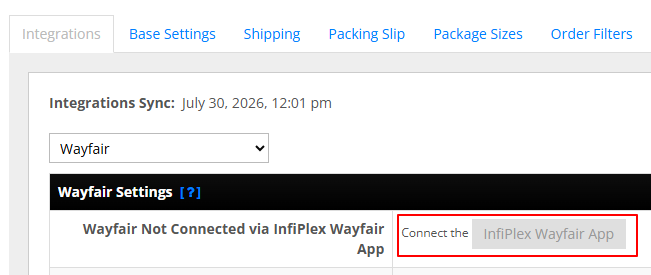
- Log into your InfiPlex OMS site first, and go to the Settings > Integrations > Wayfair page. Click the grey "InfiPlex Wayfair App" button. This will open the Wayfair / InfiPlex Vendor page in the Wayfair portal.
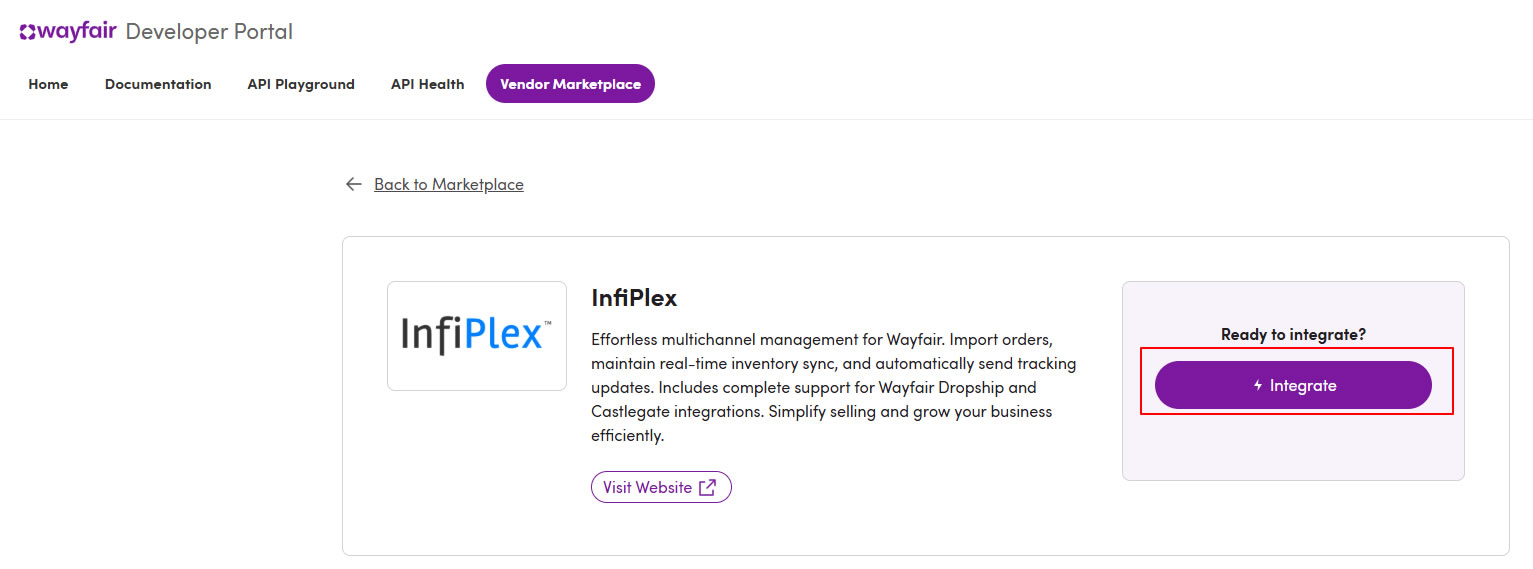
- Log into the Wayfair Vendor Marketplace with your main Wayfair Admin login account.
- Click the purple "Integrate" button to begin the authorization process.
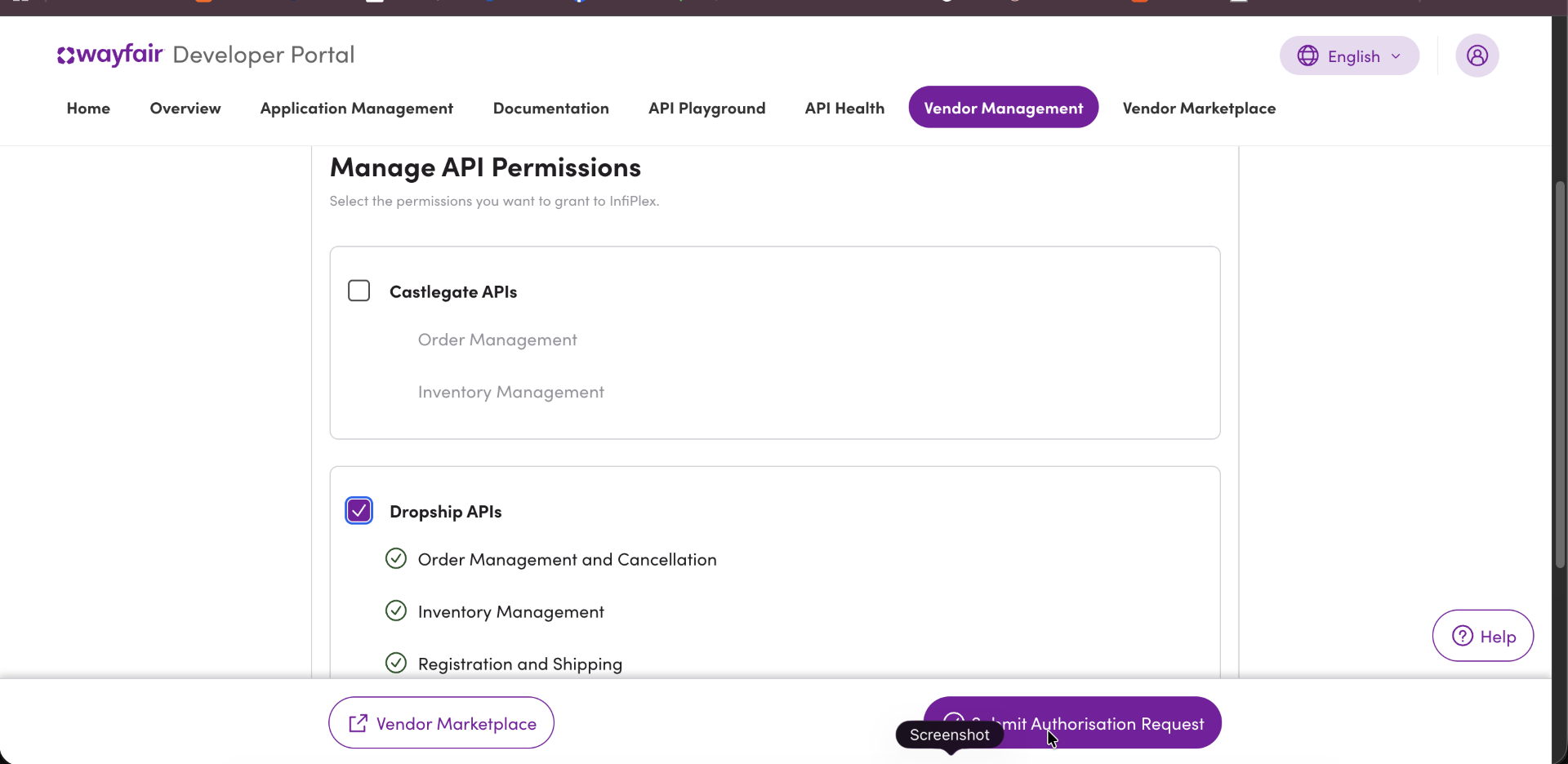
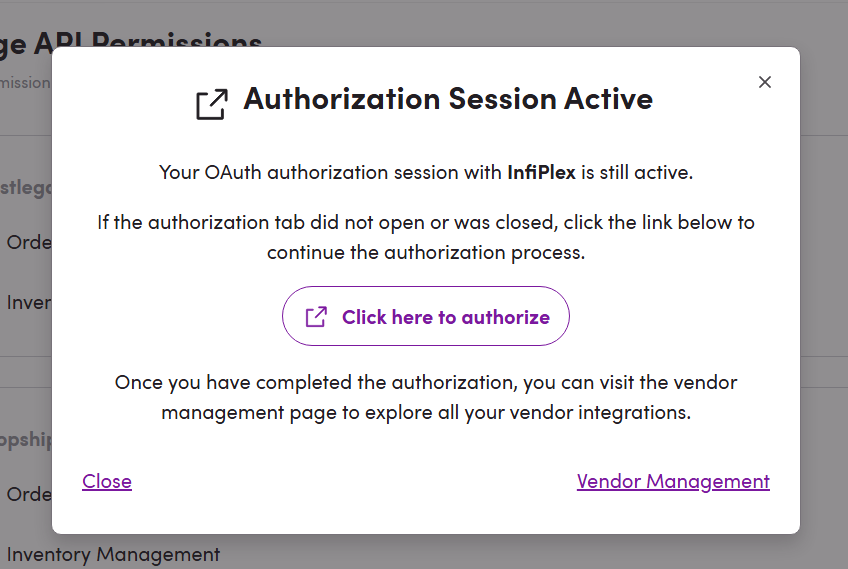
- Confirm the InfiPlex integration connection in the next step from the Wayfair Developer portal. This will finalize the connection with your Infiplex OMS account.
Important:
Make note of the Expiration date of the Refresh Token. You will need to re-authorize the InfiPlex Wayfair app before that time. The Refresh Token lasts approximately 6 months.
- After confirming the App in the Wayfair portal, you can go to your InfiPlex OMS site, navigate to the Settings > Wayfair page, and confirm the connection. You will see confirmation similar to the image below.

Important:
Make note of the Expiration date of the Refresh Token. You will need to re-authorize the InfiPlex Wayfair app before that time. The Refresh Token lasts approximately 6 months.
- CastleGate Fulfillment Settings:
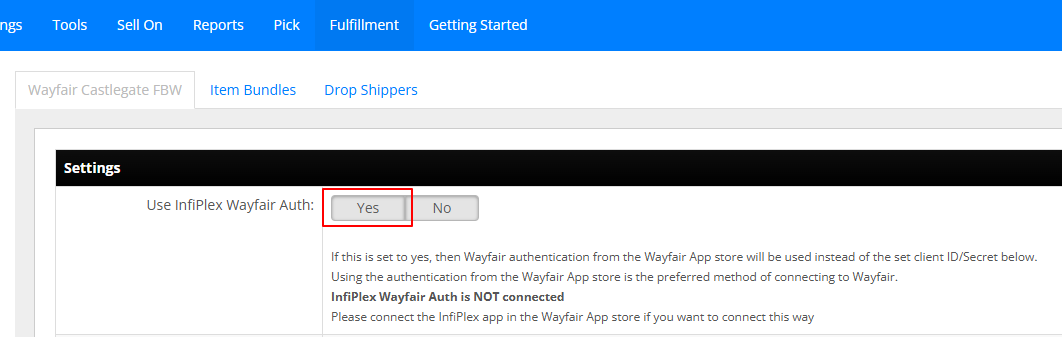
Once the Wayfair 2.0 OAuth is completed, you will need to update CastleGate settings to use the new Wayfair OAuth settings. To do this, go to your Fulfillment > Wayfair Castlegate settings page and set the "Use InfiPlex Wayfair Auth:" setting to YES, and the save the settings.
Contact Wayfair Support to get warehouse list and SKU list
Please open a Wayfair Support ticket and request your accounts warehouse list file and your SKU file. Sends these to the InfiPlex Support Team to help finalize your CastleGate multi-channel setup.
Add Retailers in the Wayfair Seller Portal
The CastleGate setup requires Retailer and Shipping entries to be created to push orders into CastleGate multi-channel shipments. The Retailer entry allows CastleGate to ship orders using the correct shipping carriers. This includes the ability to set up third-party shipping if your retailer requires it.
Go to the link below to start adding your Retailers.
https://partners.wayfair.com/d/multichannel-fulfillment/settings/retailers
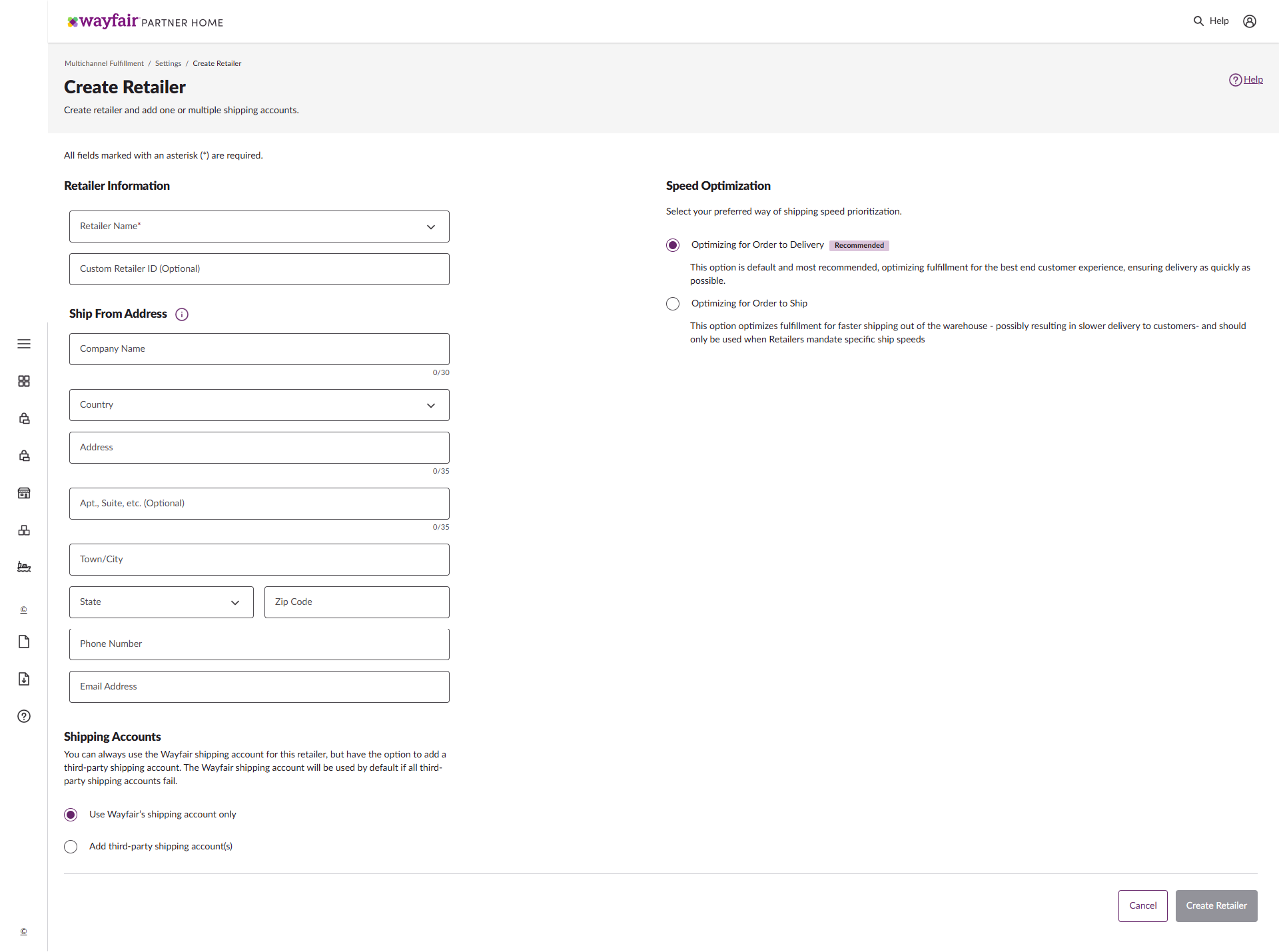
- Retailer Information:
Select one of the existing retailers from the Retailer Name drop-down. If your retailer does not exist, add the retailer name to the Custom Retail ID input box. - Ship From Address:
This address will be printed on the labels. - Shipping Accounts:
The default is to select "Use Wayfair's shipping account only". You can select "Add third-party shipping account(s)" for retailers that provide you with a carrier account to use for shipping. - Speed Optimization:
Select the recommended default, "Optimizing for Order to Delivery". - Save the Retailer:
Click the "Create Retailer" button on the bottom right of the page to save the retailer entry.
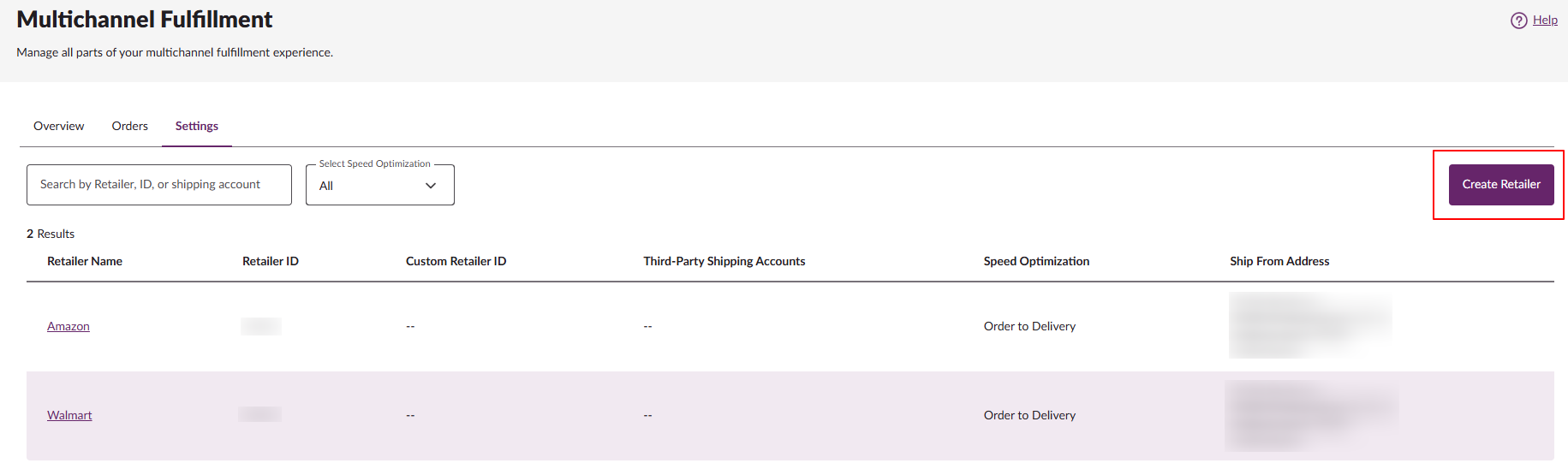
Once the Retailer has been added, it will show on the Multichannel Fulfillment settings page, as shown below.
Save Retailer ID:
Please send the Retailer Name and Retailer ID to InfiPlex Support. The Retailer ID is required to configure the CastleGate integration to include the correct Retailer ID when sending an order to CastleGate for shipment.
Multiple Warehouse Set-up with Wayfair CastleGate
CastleGate recommends that orders be sent to CastleGate without a specified warehouse. This allows Castlegate to determine the fastest, most efficient way to ship your order.
InfiPlex can be configured to mirror the Castlegate warehouses in a true multi-warehouse set-up. However, this does require billable support time to configure and manage. Please get in touch with InfiPlex Support to discuss this option and how it aligns with your retailer's requirements.
