
Last Updated: Sep 21, 2026
 A SKU Map in InfiPlex Inventory & Order Management System (OMS) translates your SKU numbers into the item numbers a 3PL warehouse or drop-ship distributor expects. Most fulfillment integrations require one, and an order line only pushes to the integration when its SKU is in the associated map.
Adding a Map
Go to Tools > SKU Map.
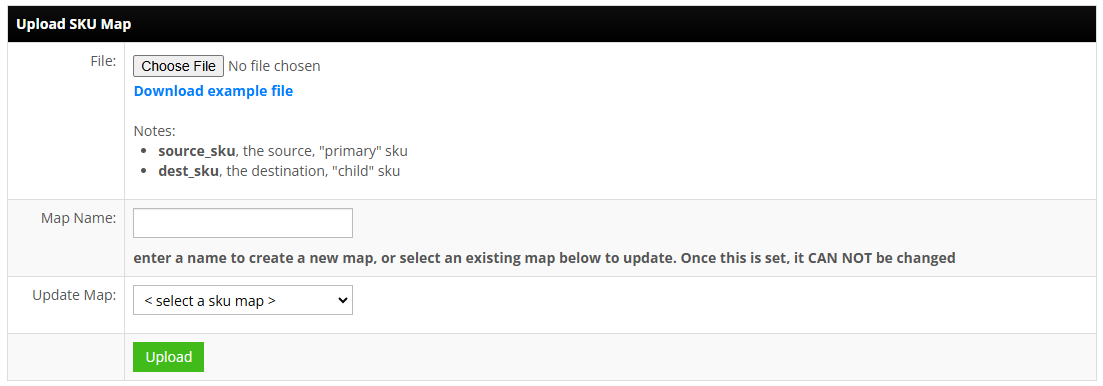
- File columns (.csv):
source_sku(your SKU) anddest_sku(the distributor or warehouse item number). - Map Name: enter a new name, or pick an existing map from the Update Map drop-down to replace it. A map's name cannot be changed once created.
Associating the Map
In the Fulfillment area, attach the map to the distributor or fulfillment integration. Three things must line up for an order to push: the SKU is in the associated map, the order is assigned to a warehouse tied to that integration, and that warehouse carries the integration's warehouse ID (edit the warehouse to set it).
Bundles use a separate map; see Drop Shipping Bundle Set-up.
Set-up Support
Contact InfiPlex with any SKU maps questions. Support is included with every InfiPlex package.
