
Last Updated: Sep 21, 2026
The Package Sizes tool in InfiPlex Inventory & Order Management System (OMS) stores the boxes you ship with. When you buy a label, one selection fills the dimensions rates require, instead of typing them every time.
Fields
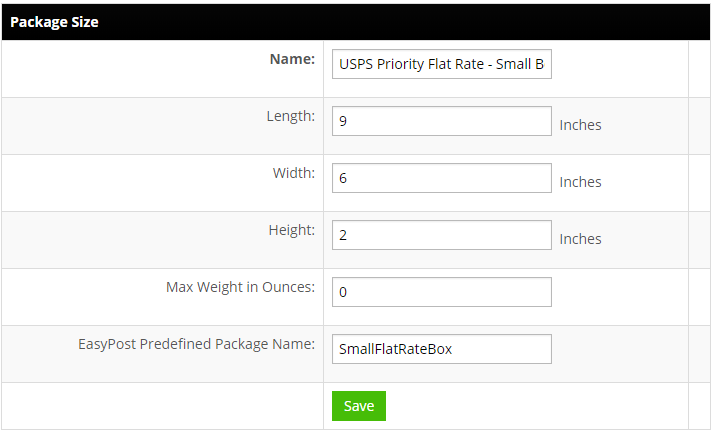
- Name: a descriptive name shown in the Package Size drop-down.
- Length, Width, Height: in inches.
- Max Weight in Ounces: shown in the drop-down as a reference only.
- EasyPost Predefined Package Name: EasyPost only. Enter a carrier predefined package to get that package's pricing, such as USPS flat-rate boxes. Reference lists: USPS, UPS, FedEx, DHL eCommerce.
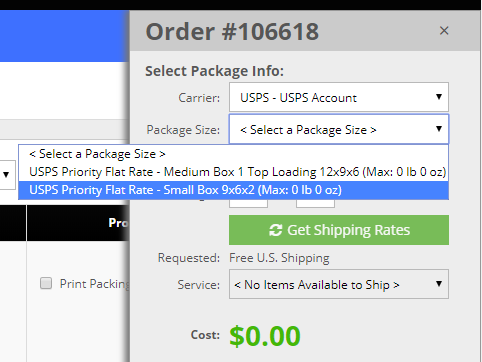
Saved sizes appear in the Create Label/Package window on the Order List:
Set-up Support
Contact InfiPlex with any package sizes questions. Support is included with every InfiPlex package.
