
Last Updated: Sep 21, 2026
 With InfiPlex Inventory & Order Management System (OMS) in the middle, Amazon Vendor Central Direct Fulfillment orders ship from ShipStation while InfiPlex manages inventory for every SKU. Tracking flows from ShipStation to InfiPlex and on to Vendor Central, completing the shipment in the portal. The connection takes 1 to 2 business days; see how to connect ShipStation to Direct Fulfillment for the set-up.
Inventory for Direct Fulfillment
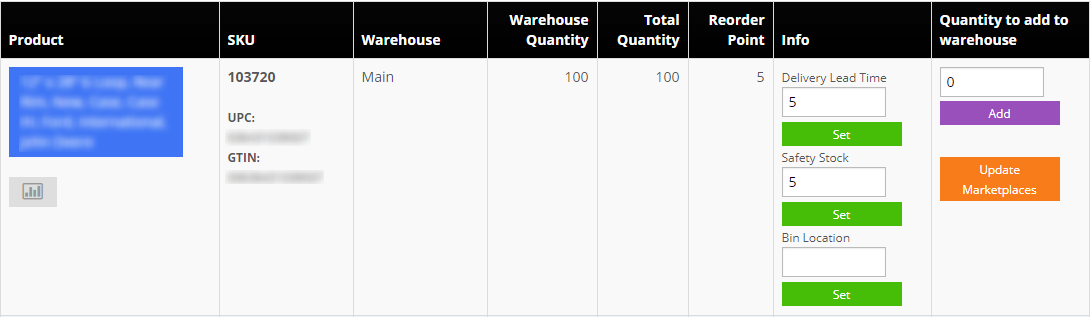
InfiPlex decrements SKU levels as orders arrive and sends the updated quantities to Vendor Central and every other connected channel automatically. Multi-warehouse set-ups are supported. Inventory itself can be maintained four ways:
- Manual updates. The Inventory tool adjusts any SKU up or down in a few clicks. Its lead-time field feeds restock alerts, which are based on actual sales over time.
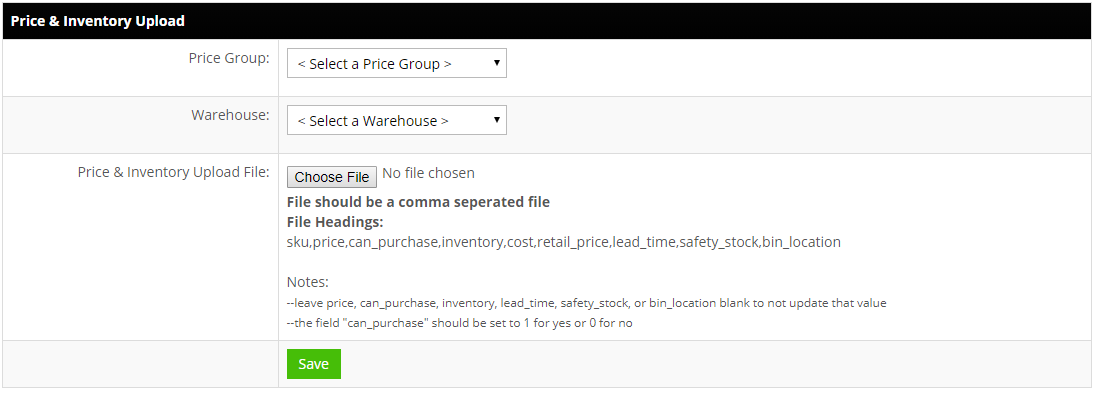
- CSV upload. Tools > Price & Inventory Tools accepts a .csv with the columns
sku,price,can_purchase,inventory,cost,retail_price,lead_time,safety_stock,bin_location,product_name.
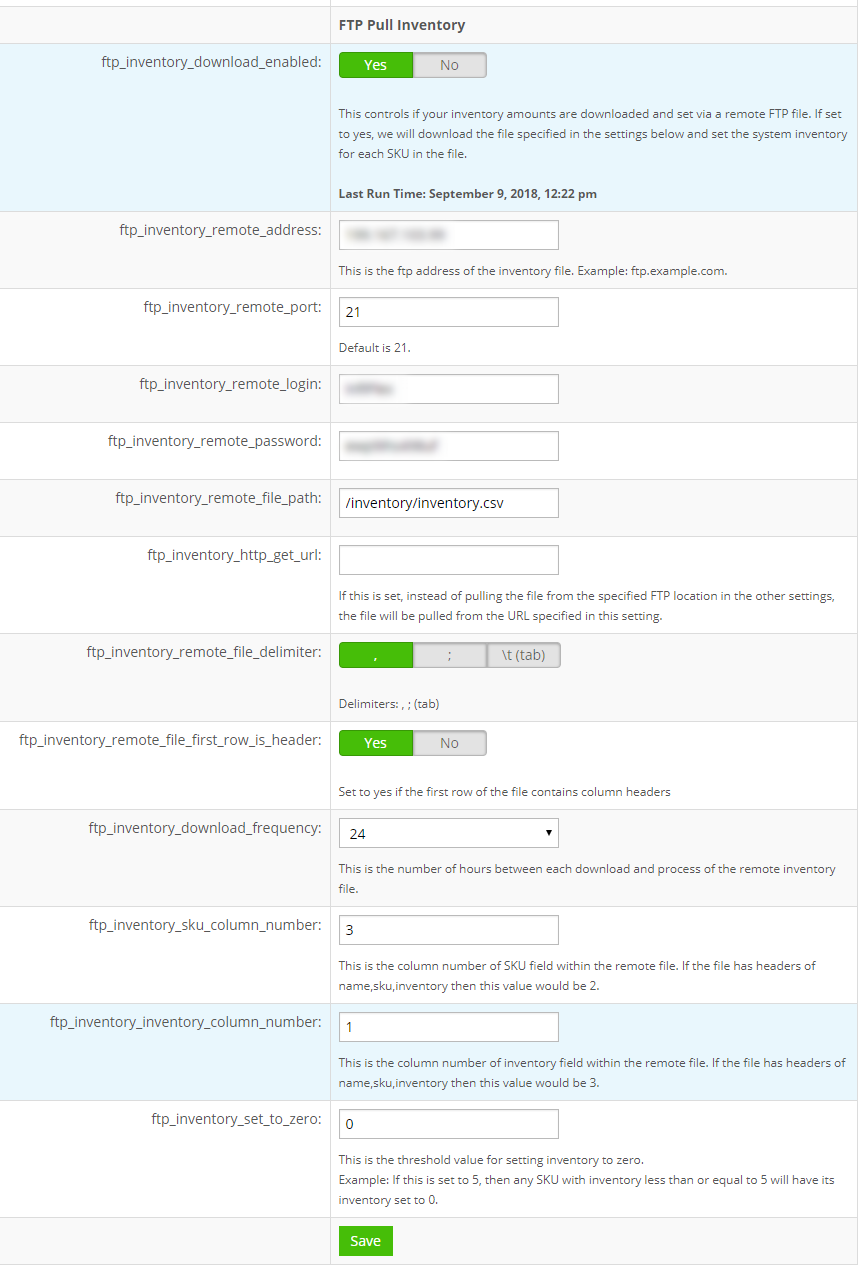
- FTP pulls. The FTP Pull Inventory settings fetch an inventory file from a URL on a schedule of every 6 to 48 hours, and queue the updates to every connected channel.
- REST API. A custom ERP can post inventory to the InfiPlex REST API; updates queue to every connected channel the same way. See the API overview.
Get Started
Pricing and sign-up are on the Amazon Vendor Central Direct Fulfillment page. Set-up support is included. The InfiPlex OMS SP-API app is an approved third-party application; view it on the Amazon Selling Partner Appstore.
Set-up Support
Contact InfiPlex with any Vendor Central and ShipStation questions. Support is included with every InfiPlex package.
