
Last Updated: Sep 21, 2026
 The Order Lines tool in InfiPlex Inventory & Order Management System (OMS) adds line items to orders before they are picked or sent to a 3PL. Two common uses: add a flyer or insert to orders that match a filter, and expand a bundle SKU into the component SKUs the warehouse actually picks. It works with Order Filters and Order Automation.
How a Rule Works
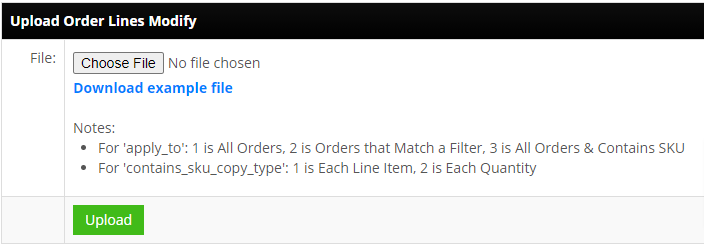
Each rule adds one line item. A rule applies to all orders, to orders matching a filter, or to orders containing a specific SKU (the bundle case). Rules can be created in the form or uploaded from a .csv; the upload only inserts rules, so edit an existing rule by clicking its name.
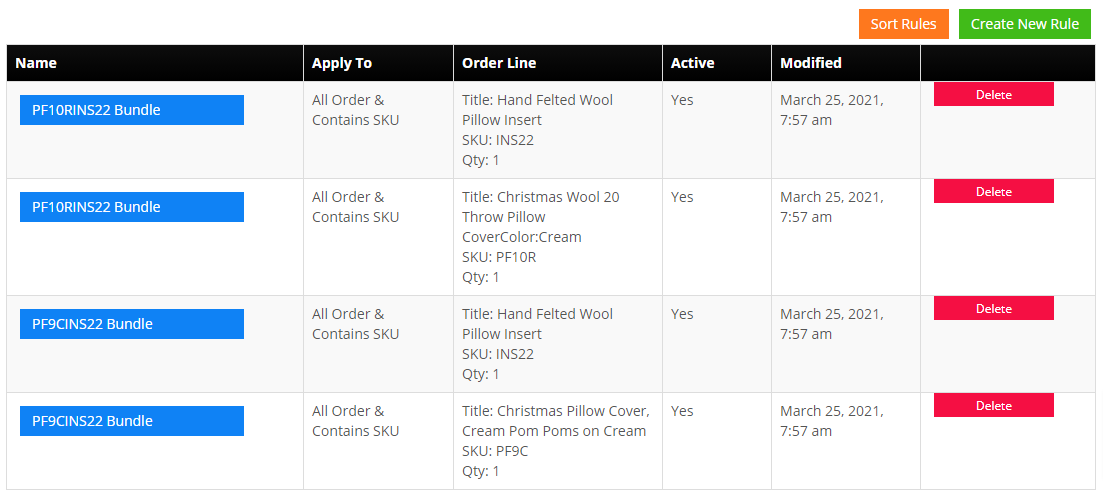
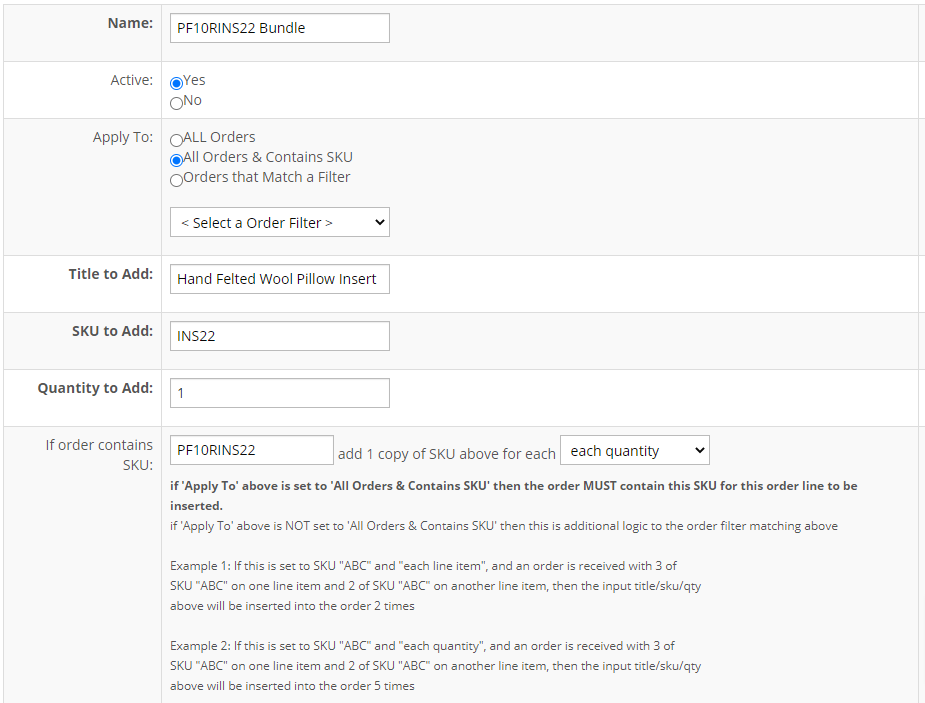
| rule_name: | Descriptive title to identify the Rule. For Bundles, you need to add a rule for each associated SKU in the Bundle, so you will have an entry for each line item and quantity that is part of the Bundle. |
| is_active: | Values: 0 or 1. 1 = active, 0 = in-active |
| apply_to: | Values: 1, 2, or 3. 1 is All Orders, 2 is Orders that Match a Filter, 3 is All Orders & Contains SKU. If your adding Order Lines for a Bundle SKU, you will choose number 3. |
| apply_to_order_filter_id: | You can view the Filter ID's from the Filter drop-down in the Create New Rule form. |
| order_line_title: | This will be the Title of the SKU that appears in the line item. |
| order_line_sku: | This is the SKU number that will be added to the new line item. For Bundles, this would be one of the Bundle SKUs and the associated quantity would be entered in the order_line_quantity field. |
| order_line_quantity: | This is the quantity of SKU for the new line item. |
| contains_sku: | This field applies if the apply_to option is set to 3 - All Orders & Contains SKU. For Bundles, this is where you would enter the Bundle SKU number. |
| contains_sku_copy_type: | Values: 1 or 2. 1 is Each Line Item, 2 is Each Quantity. Flyer Example: Select 1 for a particular SKU to add a single flyer to an order with a specified SKU line in it. Bundle Example: Select 2 to add the specified SKU and quantity for each Bundle ordered. If 2 Bundles are ordered then 2 line items of the new SKU will be added to the order. |
Upload form:
Rules list:
Create New Rule form:
Bundles and 3PL Warehouses
A 3PL connected through the Fulfillments module can be set to receive only the SKUs it carries. Sell your own bundle SKU on the marketplace, let an Order Lines rule expand it, and the 3PL receives only the component SKUs. The SKU Bundle tool and drop-ship bundle set-up cover the inventory side of bundles.
Set-up Support
Contact InfiPlex with any order lines questions. Support is included with every InfiPlex package.
