
Shopify Order Split Across Two 3PLs: Watch InfiPlex Do It
One Shopify order for three products, start to finish, on real screens from a live InfiPlex account: two of the items route to Wayfair Castlegate and the third routes to Logiwa, each 3PL ships and tracks its own piece independently, and both packages sync back to Shopify as tracking on the same order. No signup, full written version below.
Ten screens, one order split across two 3PLs
Click anywhere on the screen to advance. Every image is an unedited capture, including the shop log receipts for both 3PLs and both tracking syncs back to Shopify.
One order, two 3PLs, two packages, two tracking numbers. Shopify sees one order, fully shipped.
The split, the shipping, and the sync back all ran without anyone touching a spreadsheet.
Click anywhere to continue →
Every step, in writing
The same ten screens as the walkthrough above, with what's actually happening on each one.
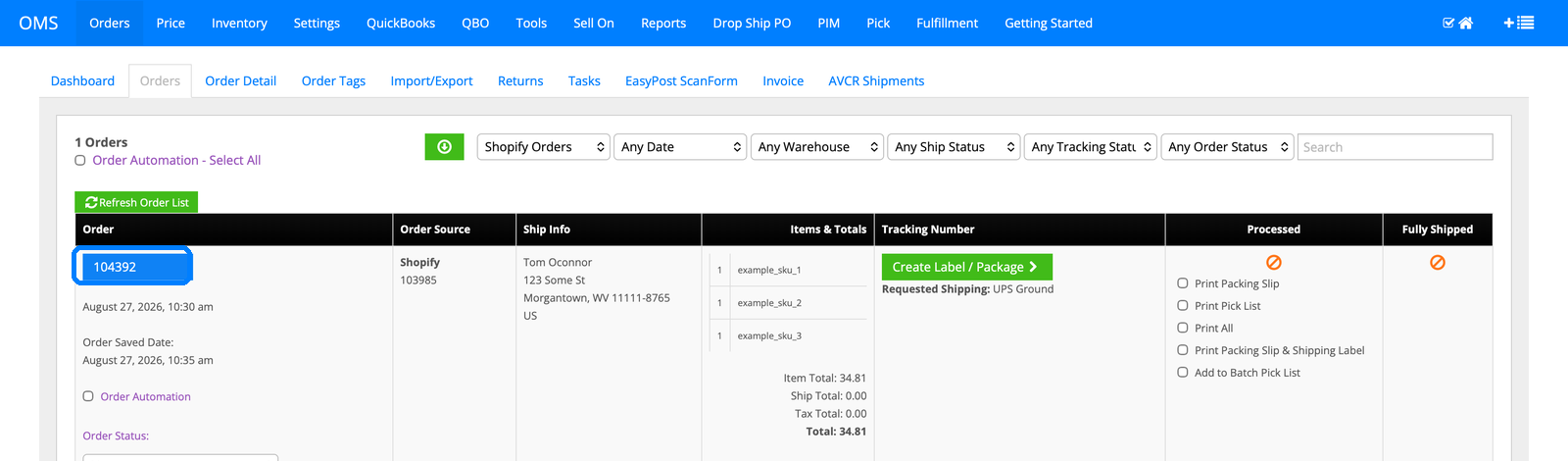
1. The Shopify order lands in the queue
Order 104392 arrives from Shopify for three products, pulled automatically with the ship-to, the requested UPS Ground shipping, and totals filled in. Nothing on this screen hints at a split; that decision happens next, based on where each item is stocked.
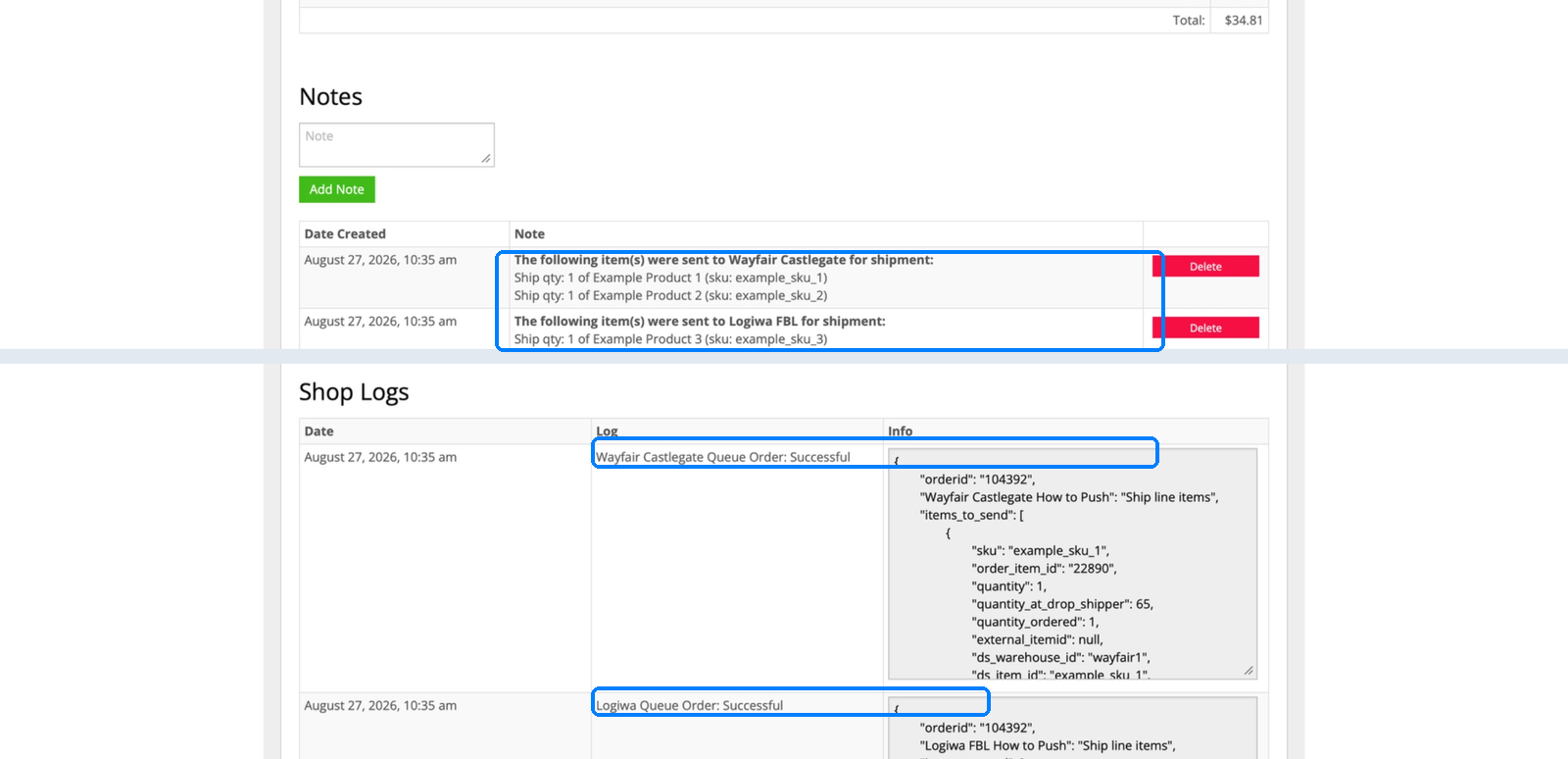
2. The split happens, and it's written down twice
Two items went to Wayfair Castlegate, one went to Logiwa, and InfiPlex logged it both as a human-readable note and as the actual queue calls to each 3PL. If a customer asks "did my whole order ship," this is the paper trail that answers it.
3. The order actually reaches Wayfair Castlegate
"Wayfair Castlegate Send Order: Successful," five minutes after the queue call. That's the real API push, not just an internal note, carrying the customer's name and address to a second warehouse system.

4. The order reaches Logiwa at the same time
"Logiwa Push Order: Successful," same minute as the Castlegate push. Two different 3PL systems, two different API shapes, one order number tying them both back to 104392.

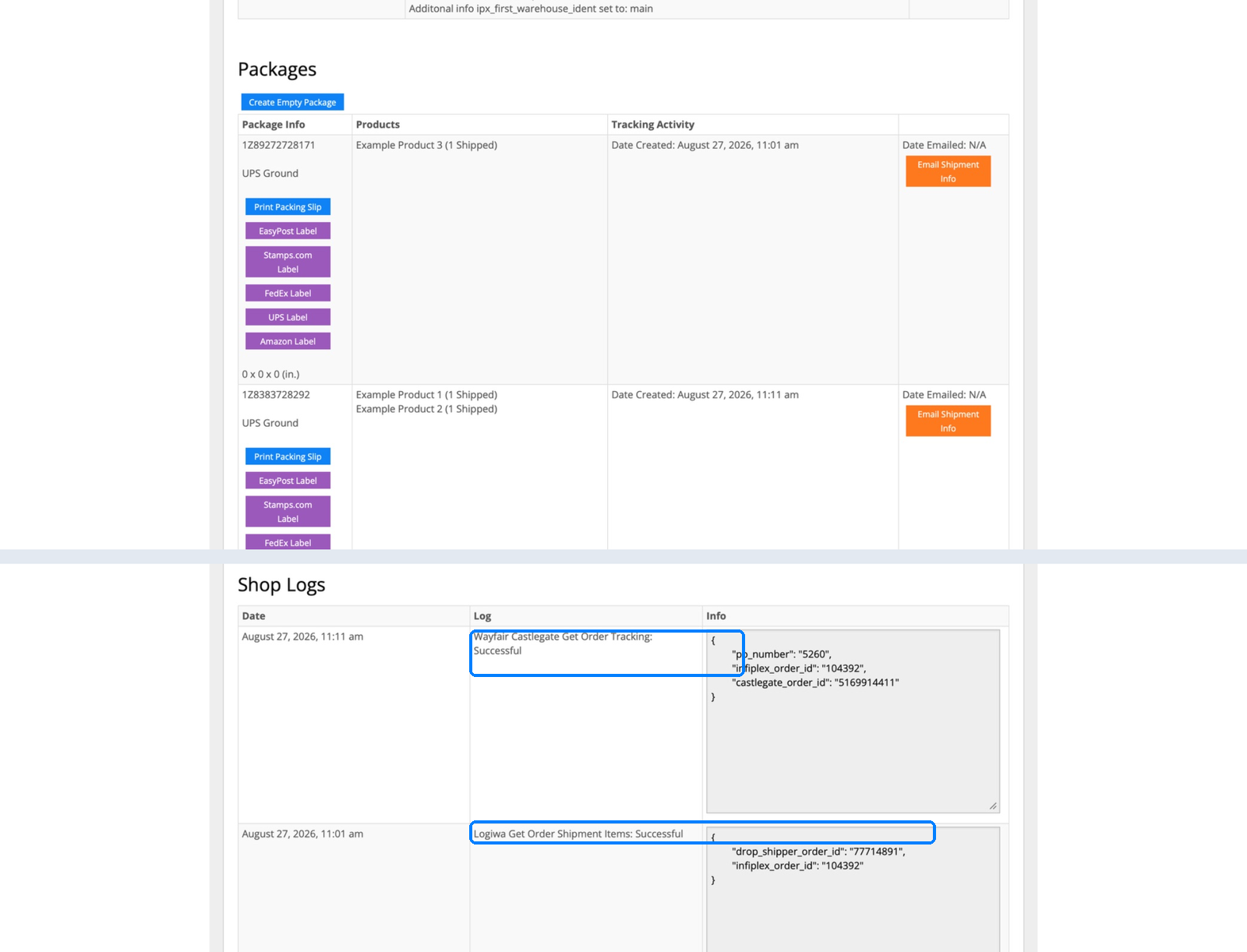
5. Two packages come back, from two systems
Wayfair Castlegate shipped its two items in one package; Logiwa shipped its one item in another. InfiPlex pulled tracking from both, logged separately, "Wayfair Castlegate Get Order Tracking: Successful" and "Logiwa Get Order Shipment Items: Successful," each with its own confirmation number.
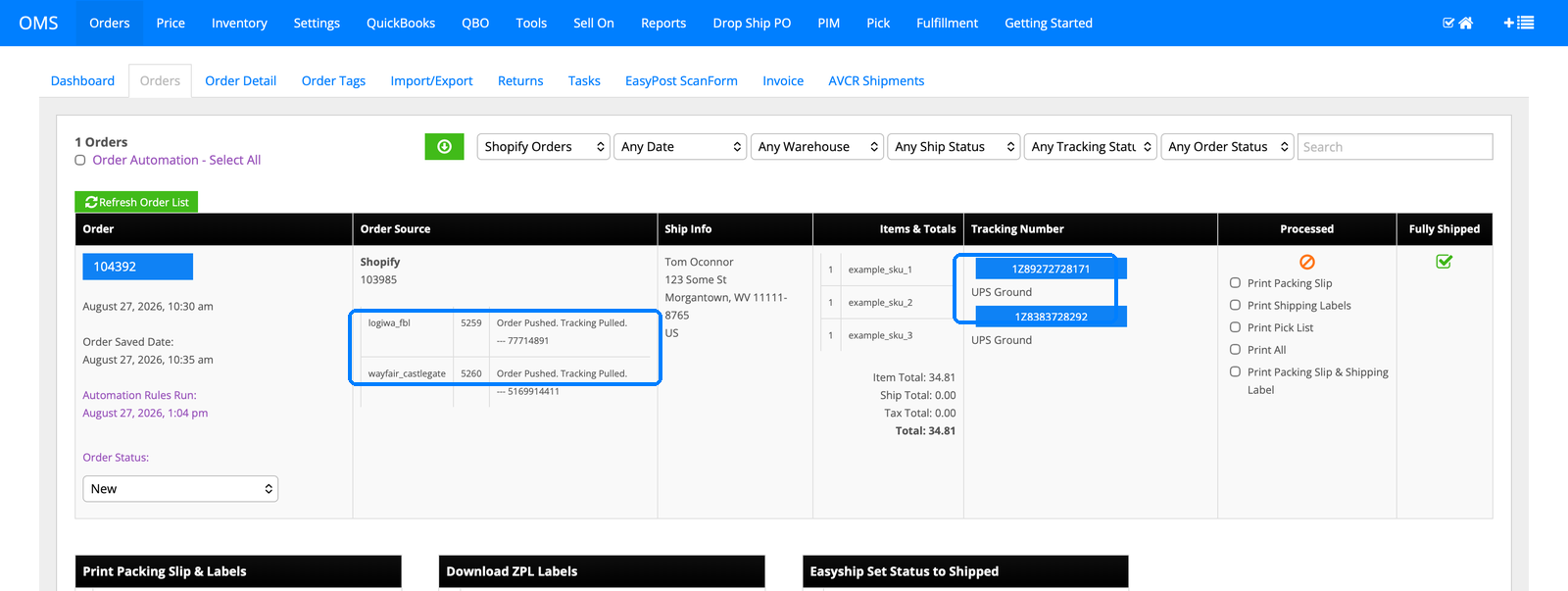
6. The order list shows both halves at a glance
Right on the orders list: logiwa_fbl and wayfair_castlegate, each marked "Order Pushed. Tracking Pulled," each with its own tracking number, both UPS Ground. Fully Shipped goes green only once both halves are actually done.
7. Shopify gets two tracking updates, not one merged one
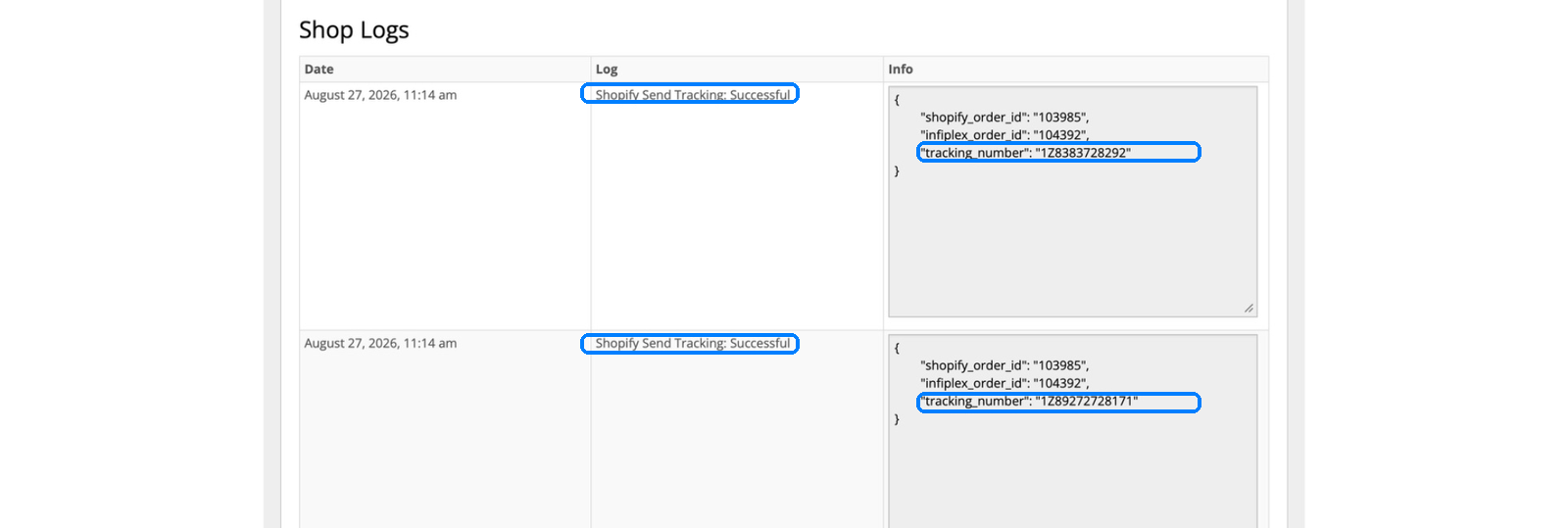
Same label, "Shopify Send Tracking: Successful," logged twice in the same minute, each carrying a different tracking number. Shopify sees the order as fully shipped, backed by two real packages instead of one number standing in for both.
8. One warehouse, one running total
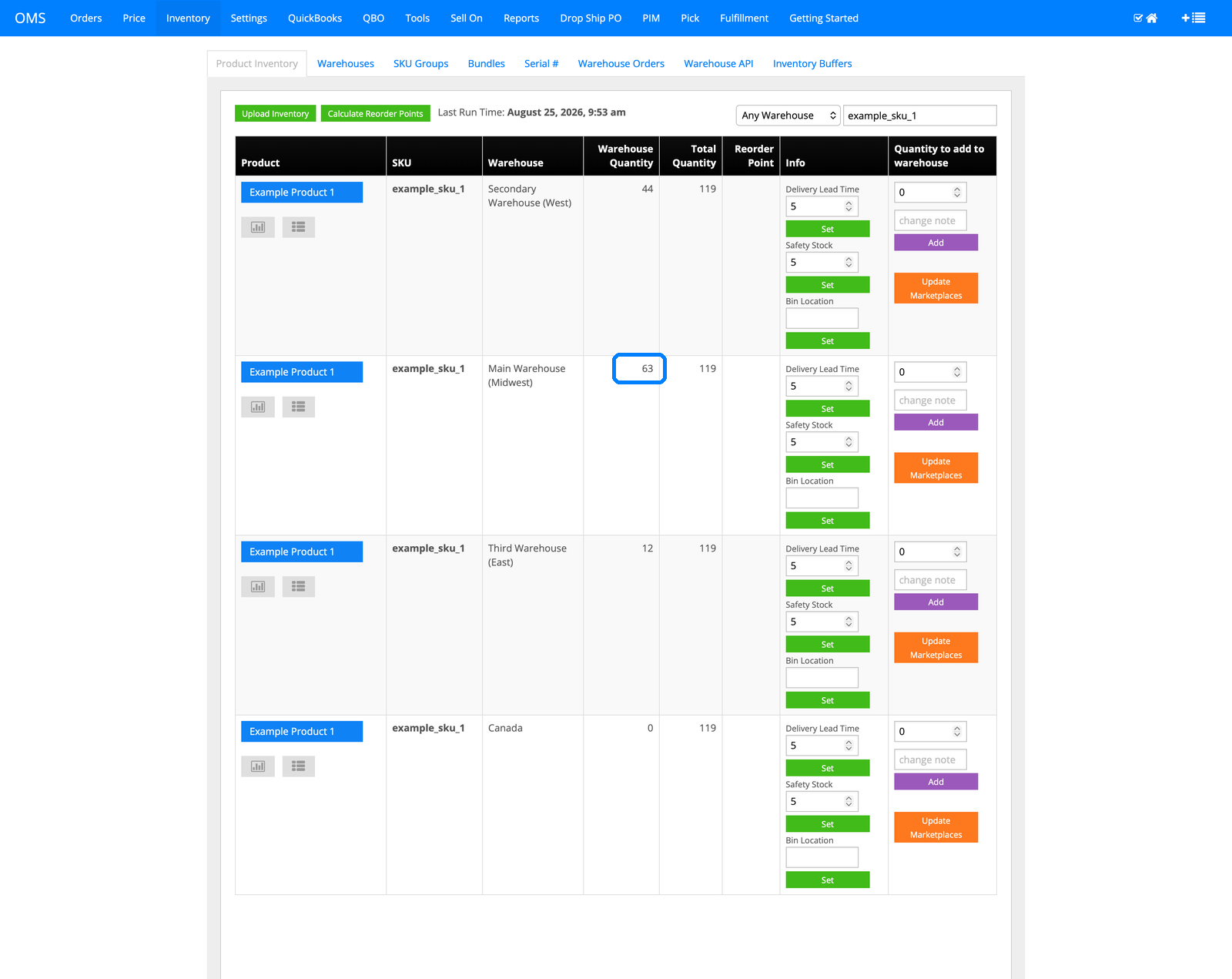
Main Warehouse (Midwest) ticks to 63, alongside Secondary Warehouse (West) at 44, Third Warehouse (East) at 12, and Canada at 0, one total of 119 wherever it's asked. A split order still draws from the same inventory truth as every other order.
9. Every deduction has a paper trail
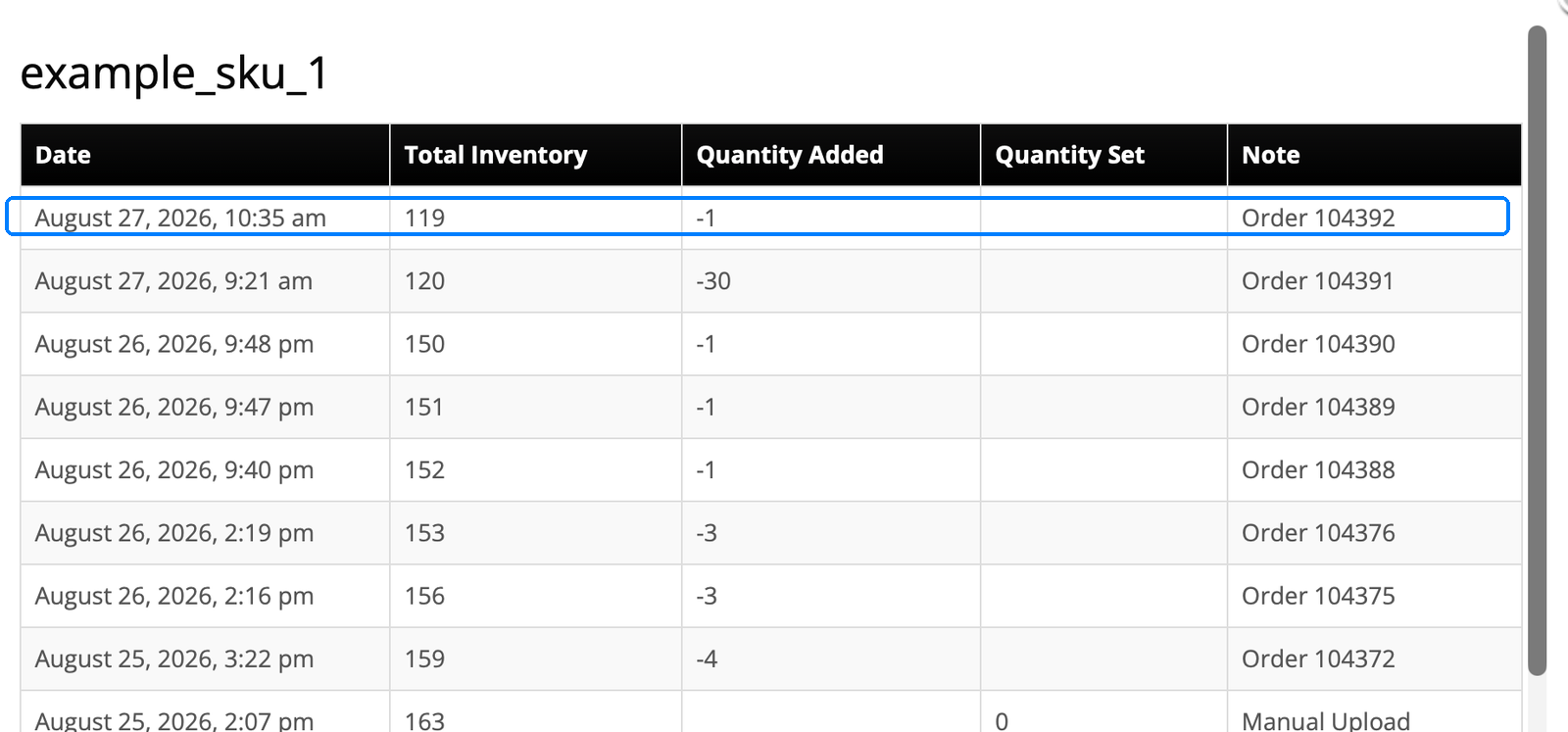
The per-SKU log shows this order taking 1 unit, right alongside every other order and manual adjustment, each with a date, quantity, and reason. When a warehouse count looks off, you read the trail instead of guessing which order did it.
10. The confirmation email shows exactly what went where
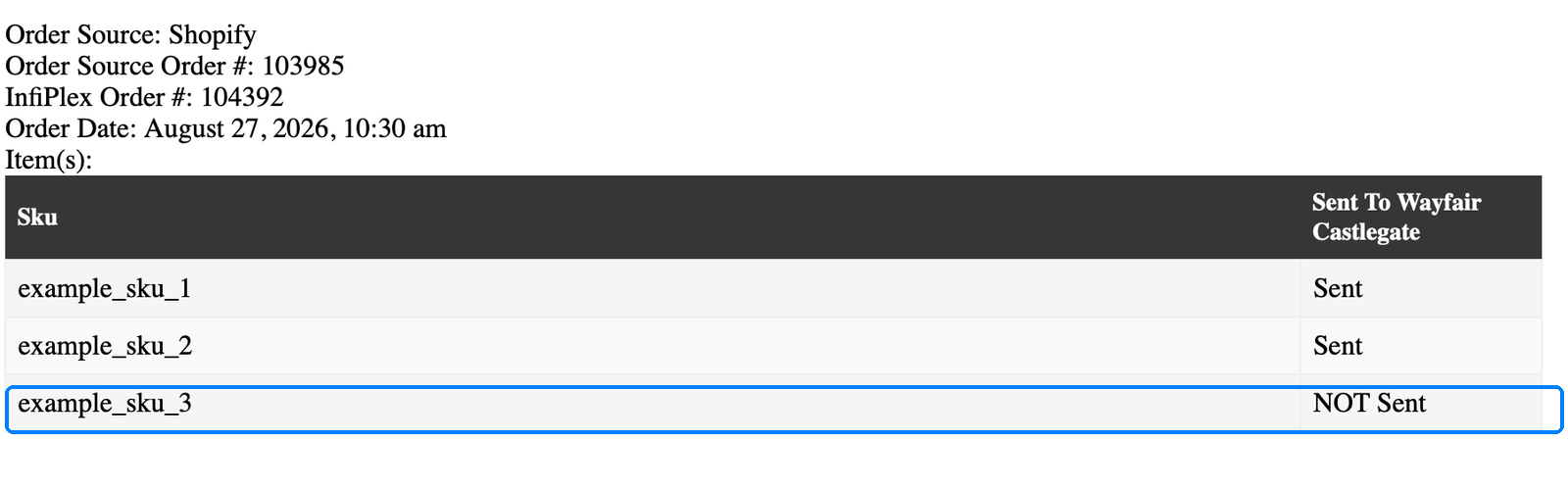
InfiPlex can email a plain confirmation of what actually reached a given 3PL, item by item: two SKUs sent to Wayfair Castlegate, and the third one flagged as not sent there, because it never should have been, it went to Logiwa instead. Nothing ambiguous about which warehouse has which item.
Multi-3PL order splitting FAQ
How does InfiPlex decide which 3PL gets which item?
The same warehouse assignment logic behind every other tour on this site applies here too: each item routes to wherever it's stocked, whether that's a single 3PL, your own warehouse, or picked by zip code as shown in the Temu tour and explained in Geo Routing by Zip Code. When an order's items are split across locations, InfiPlex queues each piece to its own fulfillment system automatically, no manual sorting required.
Does the customer or the sales channel see two separate shipments?
Shopify sees one order with two tracking numbers attached once both 3PLs have shipped, exactly as shown in step 7. Fully Shipped only goes green once every piece is accounted for, not after the first package moves.
What if I need to confirm exactly what a specific 3PL received?
The confirmation email in step 10 lists every SKU on the order and whether it was sent to that particular 3PL, sent or not sent, with no ambiguity. That's on top of the shop log receipts for every push, tracking pull, and Shopify sync shown earlier in the tour.
What does this cost and how long does setup take?
InfiPlex plans start at $49.99/month, and pricing is public on the pricing page, no sales call required to see it. Shopify is one of 130+ channels and platforms in the integrations directory, and the product tour hub has live walkthroughs for Amazon, AliExpress, TikTok Shop, Temu, Walmart, and Target Stores EDI if you want to watch other flows. The free demo runs InfiPlex against your actual channels and warehouses.
Want your multi-3PL orders splitting like this?
Plans start at $49.99/month. Watch it on your own channels and 3PLs with a free demo.
